
What's New at Anthropos
Weekly updates to Anthropos — new workforce assessment features, AI Simulations, Skill Paths, and everything else we ship on our platform.
Last updated July 16, 2026
Follow Anthropos on LinkedIn for premium content, updates and moreJuly 2026
4 updatesClearer AI Academy listings in search results
AI Academy course and category pages now feature more accurate, search-aligned titles and descriptions, making it easier for learners and managers to find relevant training on topics like AI for HR, coding assistants, and business AI skills via search engines and shared links.
AI Academy sidebar navigation restored
Sidebar navigation in AI Academy is now fully functional, so role- and vendor-based category links correctly load their content instead of blank pages.
Flexible limited-time pricing for AI Academy annual plan
The AI Academy annual plan discount is now available as a flexible limited-time offer, consistently applied across pricing, landing, and checkout pages. This makes it easier for organizations to lock in discounted access for learners without worrying about fixed promo end dates or missed codes.
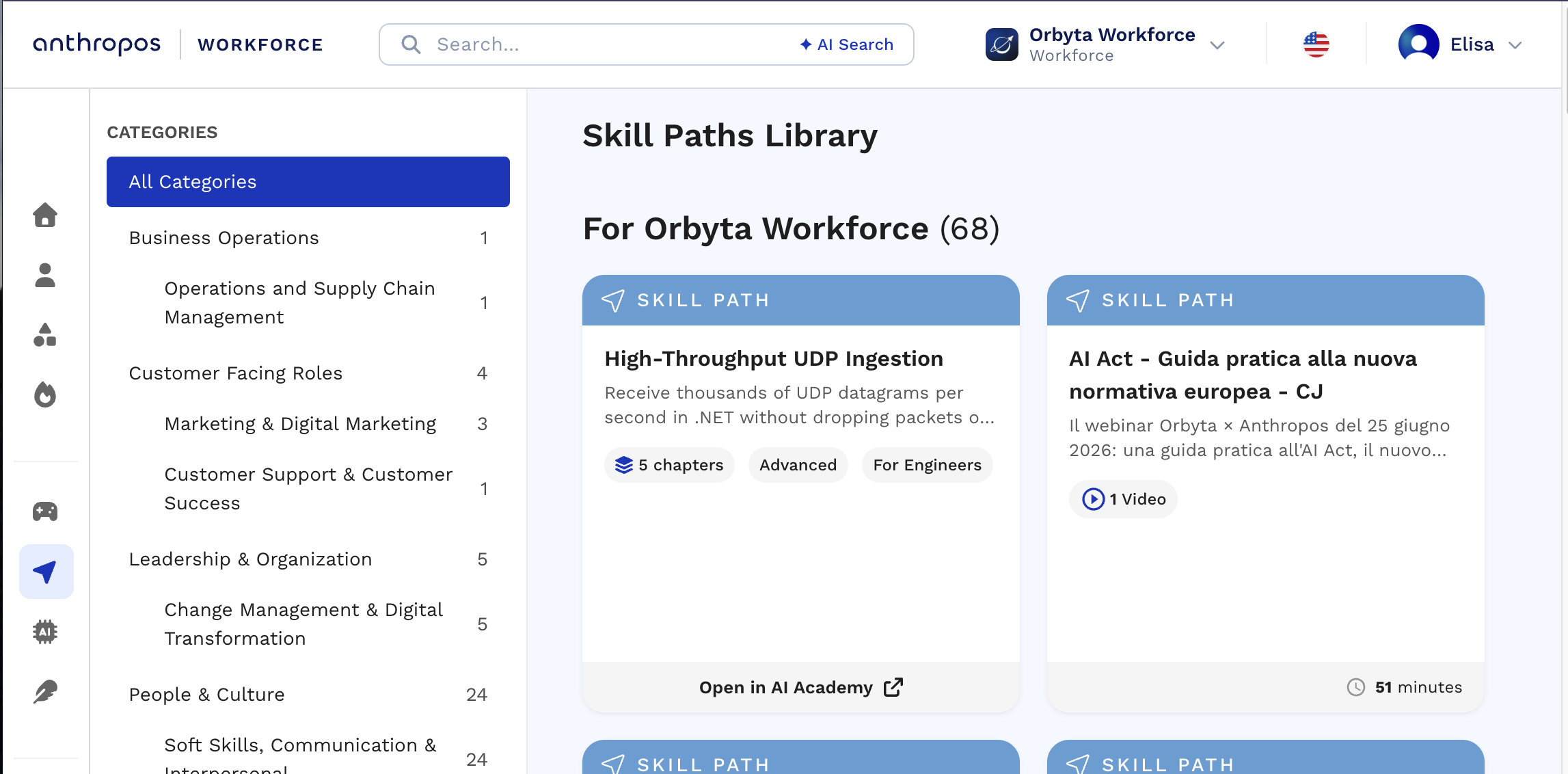
Clearer access to private learning paths
Private AI Academy paths now appear alongside Skill Paths in the library’s private section, sorted by most recent updates, making it easier to find and manage the latest internal learning content.
June 2026
16 updatesAI Academy now available to all users
AI Academy is now publicly available, giving all users access to structured AI learning content and simulations designed to build skills and confidence in working with AI.
More reliable checkout experience
Coupons are now consistently applied during checkout and a visual glitch affecting page backgrounds has been fixed, delivering a smoother and clearer purchasing experience.
Simplified, time-limited AI Academy community pricing
AI Academy now offers a limited-time community price of $199/year, applied automatically at checkout with no promo codes required. The offer runs through July 5 and then returns to standard pricing without any manual changes needed.
Smoother AI Academy experience on mobile devices
AI Academy now offers clearer certificate completion pop-ups, easier access to certificates from My Activity, and visibility into when each path was last opened. Diagrams display full-screen correctly on phones, and the Resume learning menu renders properly and opens instantly on mobile for a more reliable learning experience.
New course: Designing with Claude Design
A new AI Academy course on designing with Claude Design is now available, with a hands-on, follow-along path covering how to import existing design systems, avoid traditional design-to-development handoffs, and build directly with Claude Code. The course includes six chapters plus an introduction and is available in all supported languages for product managers, designers, and IT teams.
More accurate translated course references across learning paths
Course path introductions now correctly reference sibling courses in all supported languages, eliminating mismatched or inconsistent course titles. This makes it easier for learners to navigate multi-course paths and understand exactly which courses each path step refers to.
New no-code path: Build & Ship with Claude Code
A new beginner-friendly path guides non-technical and business users through building and launching a simple one-page business website without writing code. The six short chapters cover setup, site creation, hosting, domains, costs, and safety considerations, and are available alongside other Claude paths in all supported languages under For Beginners and For Business.
Skill paths now available in multiple languages
Skill paths can now be translated into multiple languages, making it easier to roll out consistent learning experiences across regions and learner populations. Initial languages are live and additional paths and languages will be added over time based on demand.
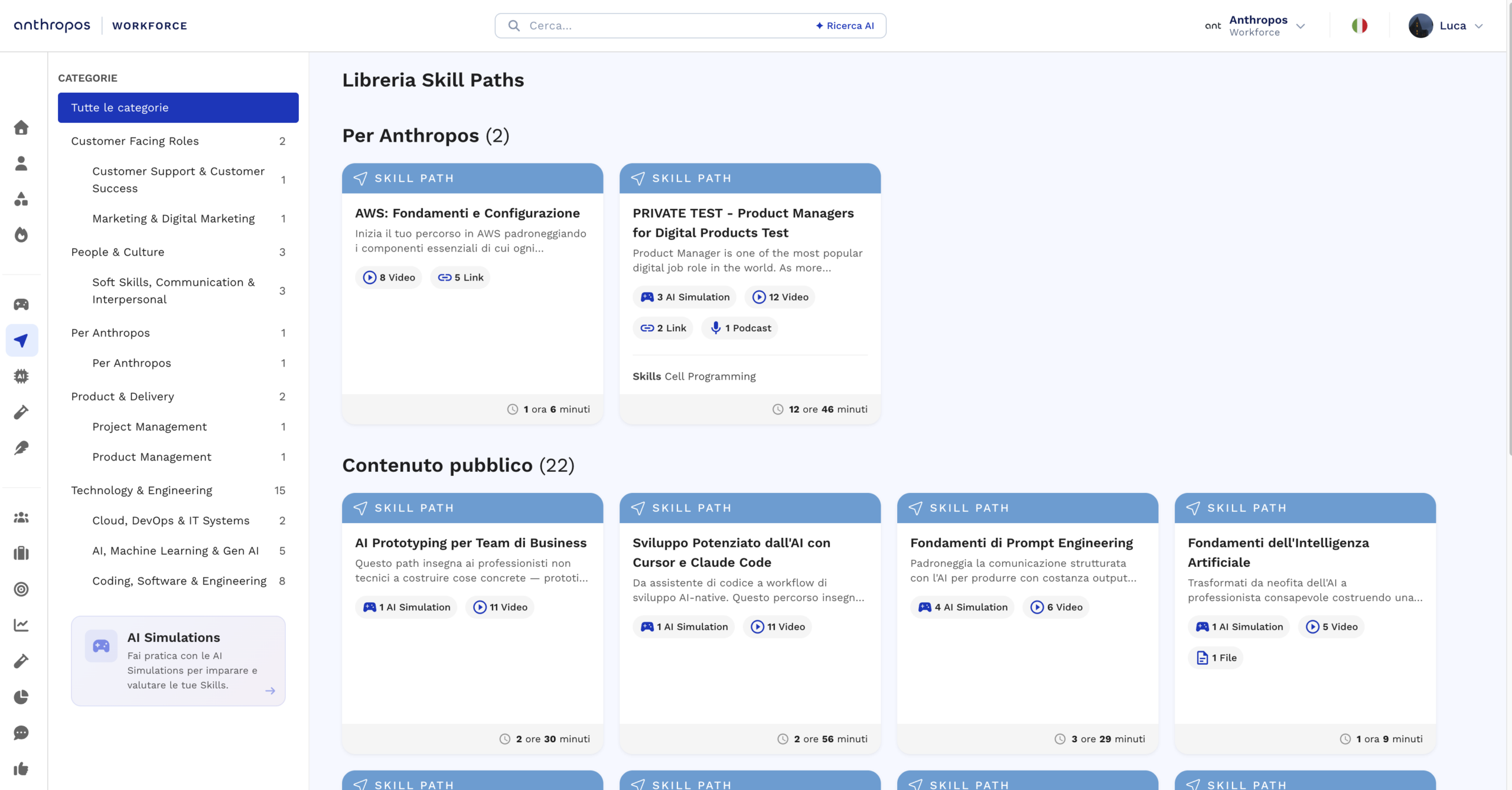
Guided mode for faster, easier simulation creation
Guided mode introduces a step-by-step workflow that turns a simple goal and optional source documents into a complete, ready-to-run simulation, with live preview of roles, scenes, tasks, and evaluation criteria. The existing advanced builder remains fully available, now accessible from a refreshed start page that lets teams choose between a fast guided experience or full granular control.
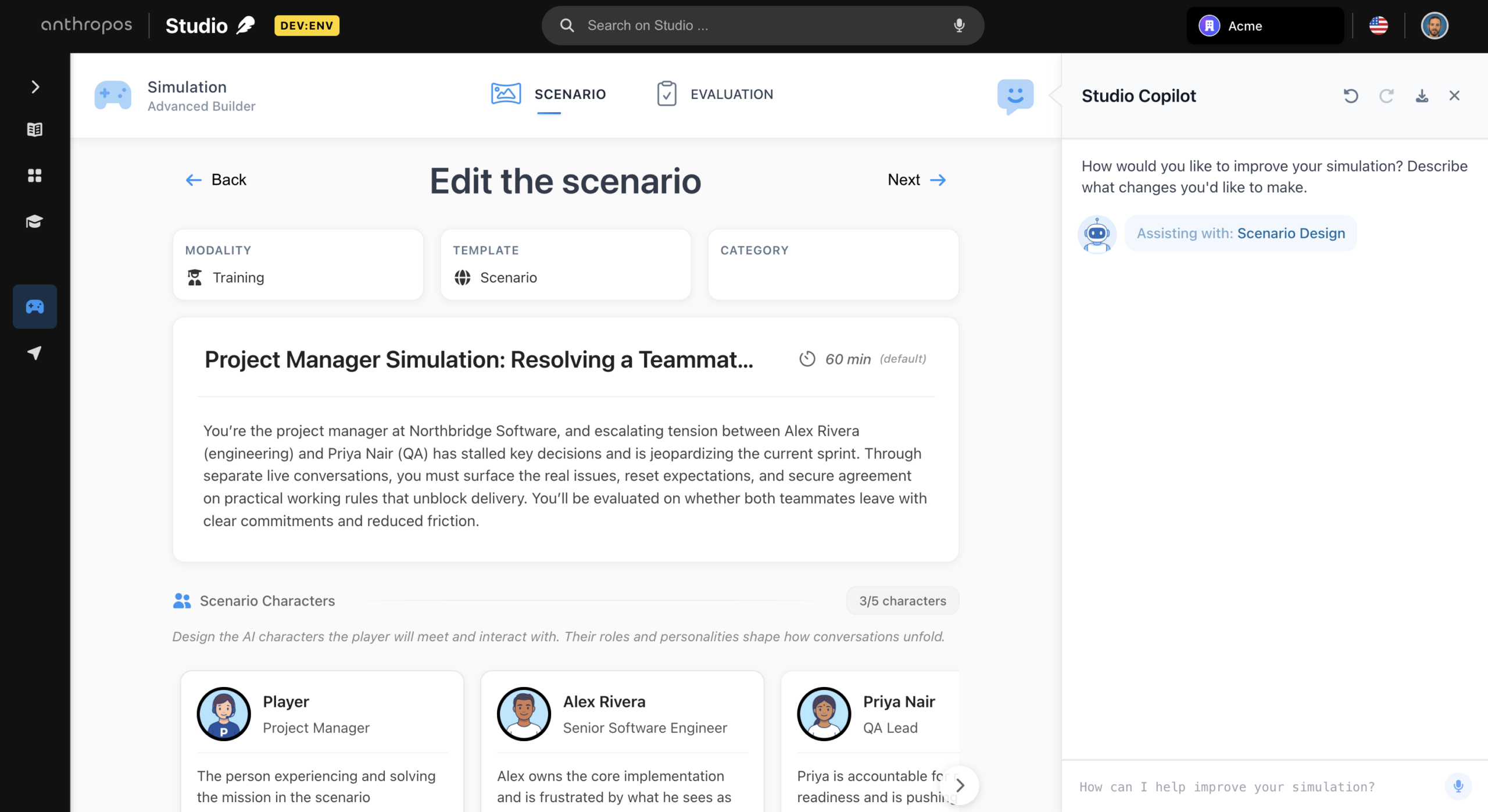
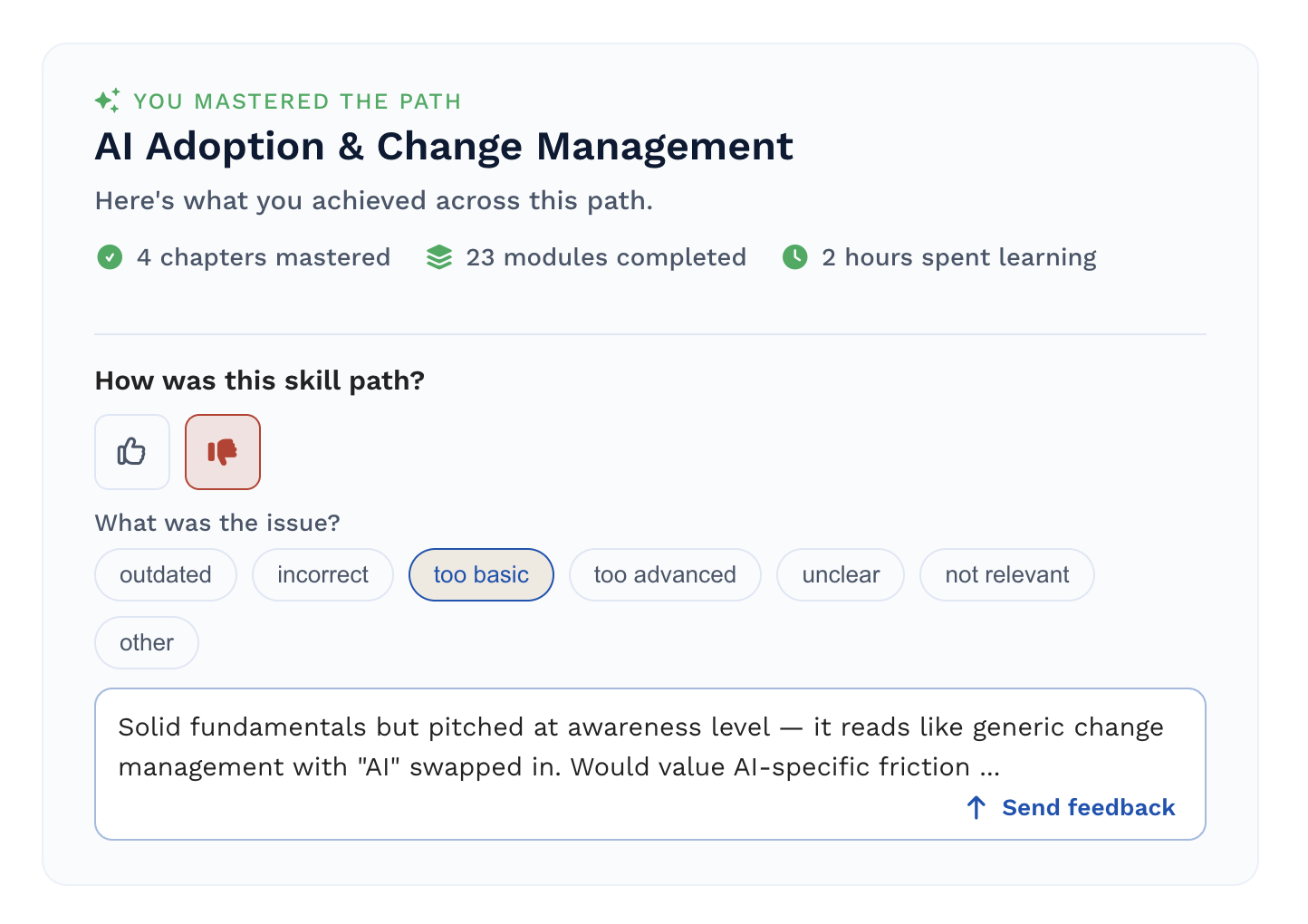
Better progress tracking and completion flow in AI Academy
Learners can now track time spent and completed activities in a personal activity view, quickly rate chapters and entire skill paths, and see a clear recap of achievements at the end of each path with easier access to download and share certificates from a single place.
More reliable skill path steps and translation formatting
Skill paths now require an explicit click to mark document-based steps as complete, helping ensure learners engage with the full content. In addition, text formatting such as lists and bold is preserved more consistently across translations, improving clarity for multilingual learners.
AI Academy now offers free courses without signup
AI Academy now provides immediate access to five full-length courses directly from the home page, with no payment required to start learning. A dedicated free-courses catalog view, clearer Academy size metrics, improved Free badges, and richer link previews make it easier to explore, share, and evaluate the Academy’s content.
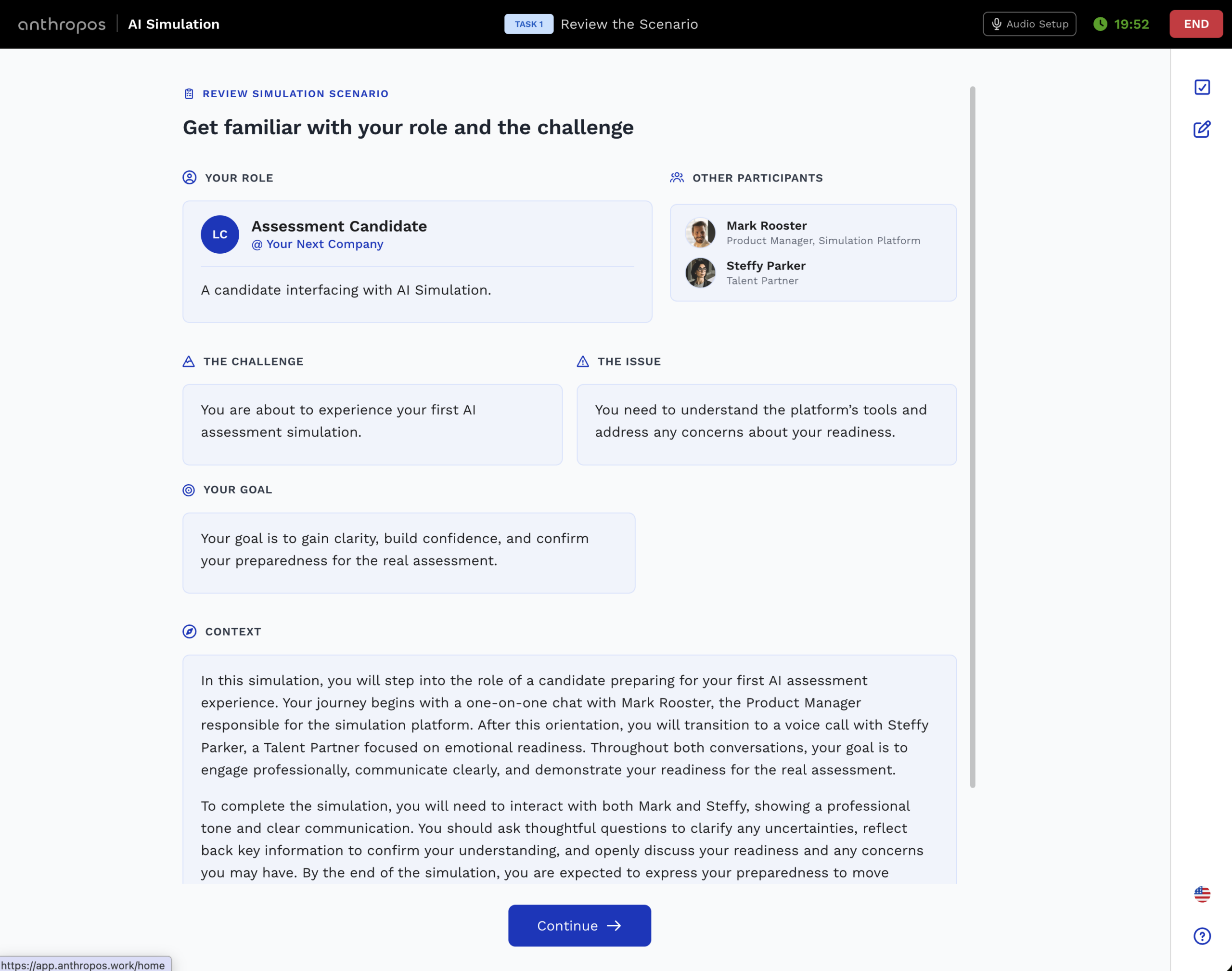
Workforce Copilot now surfaces AI Academy study progress
The Workforce Copilot can now access per-member AI Academy study progress, enabling more targeted guidance based on which chapters and courses each employee has started, is in progress on, or has completed.
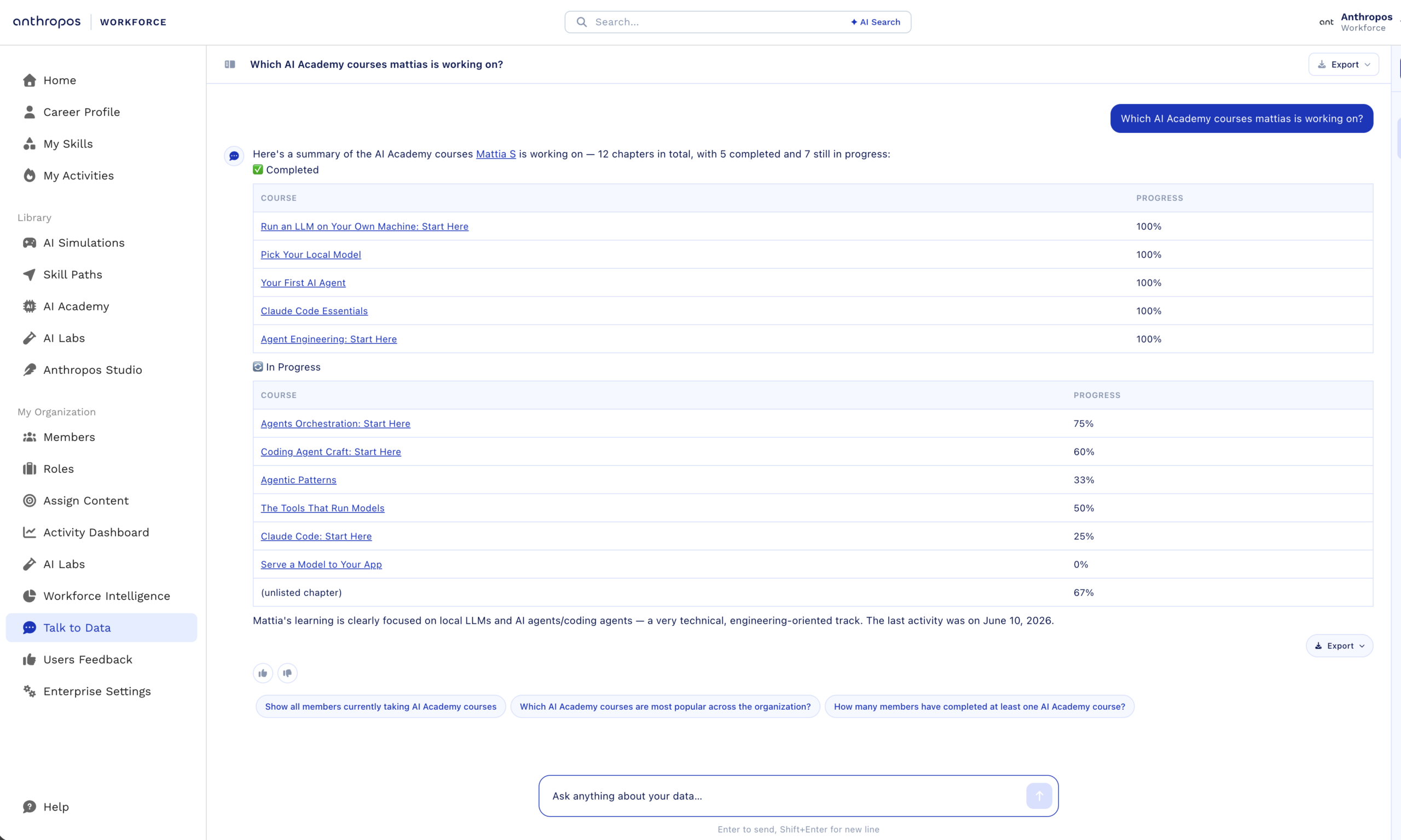
Profile History with full audit trail for admin edits
Organization admins can now directly edit member profiles—including certifications, skills, work experience, education, projects and more—across nine resource types. Every change is captured in an immutable audit trail showing who changed what and when, giving admins clear oversight and members transparent visibility into profile updates.
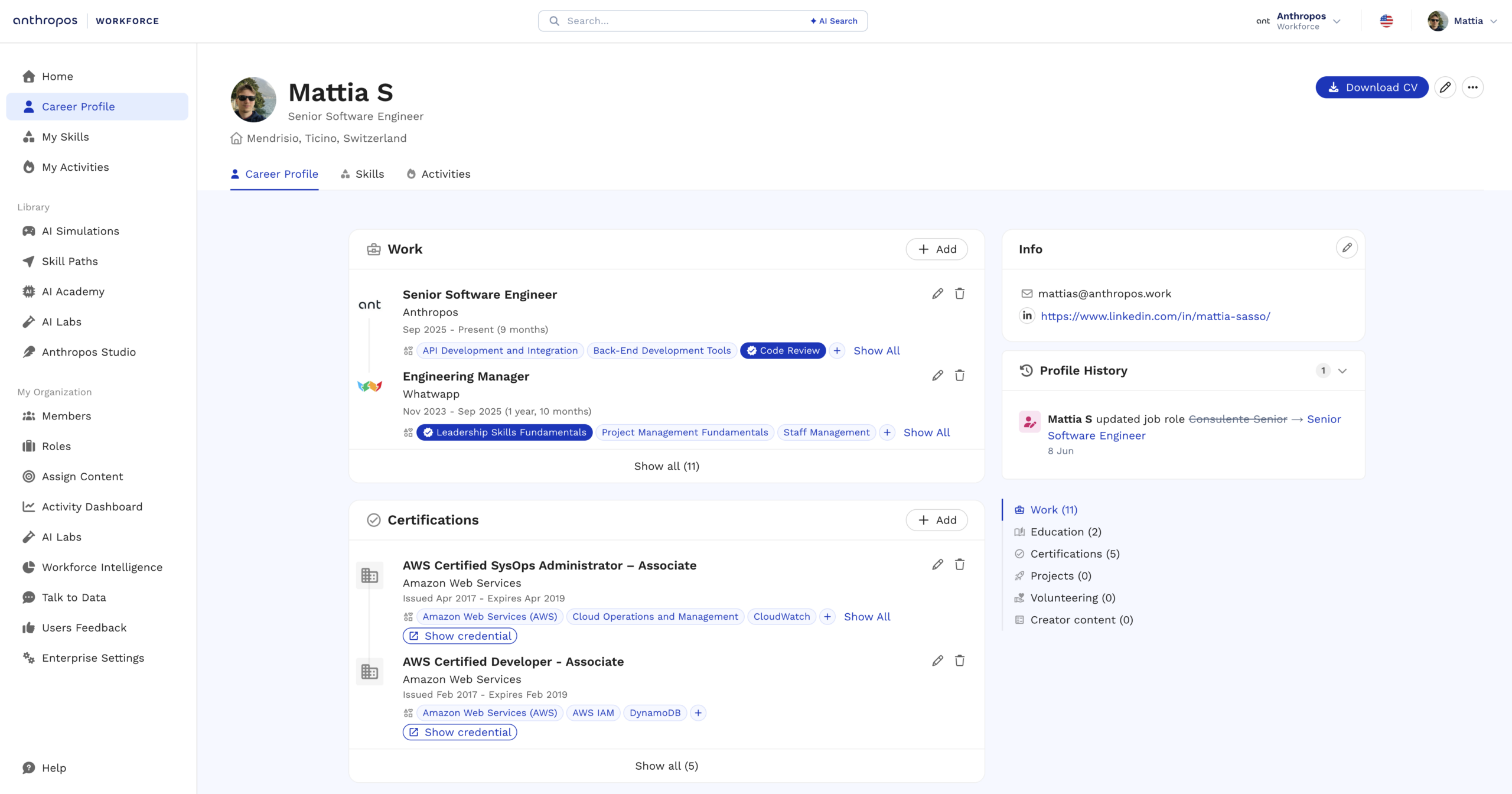
Better mobile experience and smoother org switching
Users with multiple organizations now experience a more reliable, smoother organization switcher, including on mobile. Mobile login, signup, home, header and related flows have also been refined for a more stable and consistent experience.
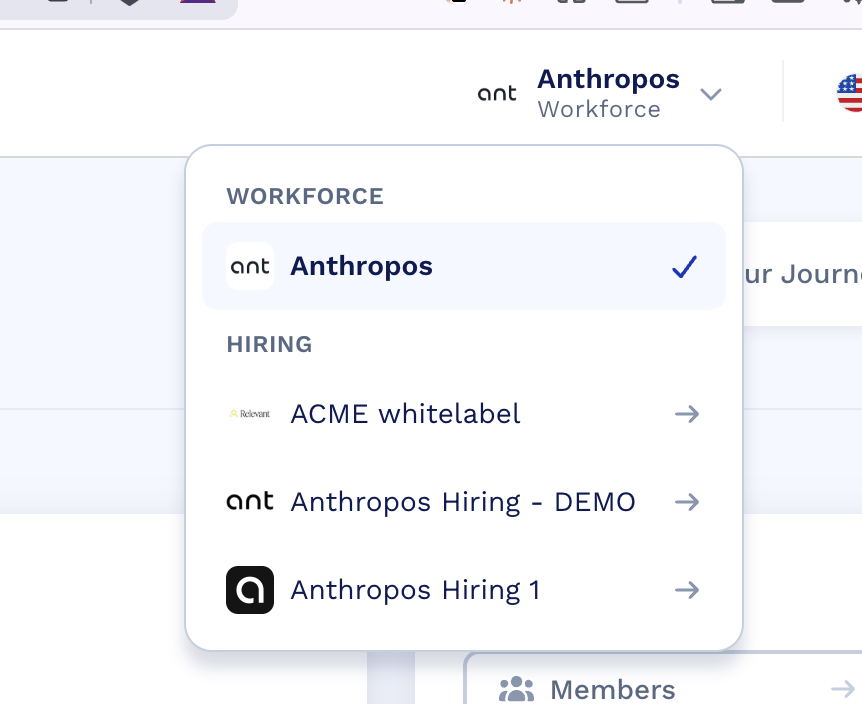
New public AI Academy catalog with free and paid access tiers
The AI Academy now offers a public catalog that can be shared without login, along with a set of free skill paths to let teams experience core AI content before committing. The full library is available via enterprise membership or individual subscription, and organizations can add private, account-specific skill paths to support tailored learning experiences for their employees.
May 2026
4 updatesPortuguese added as a platform language
Portuguese is now available as a platform language, making it easier for Portuguese-speaking users to navigate and use the core product experience while full content translations are being expanded.
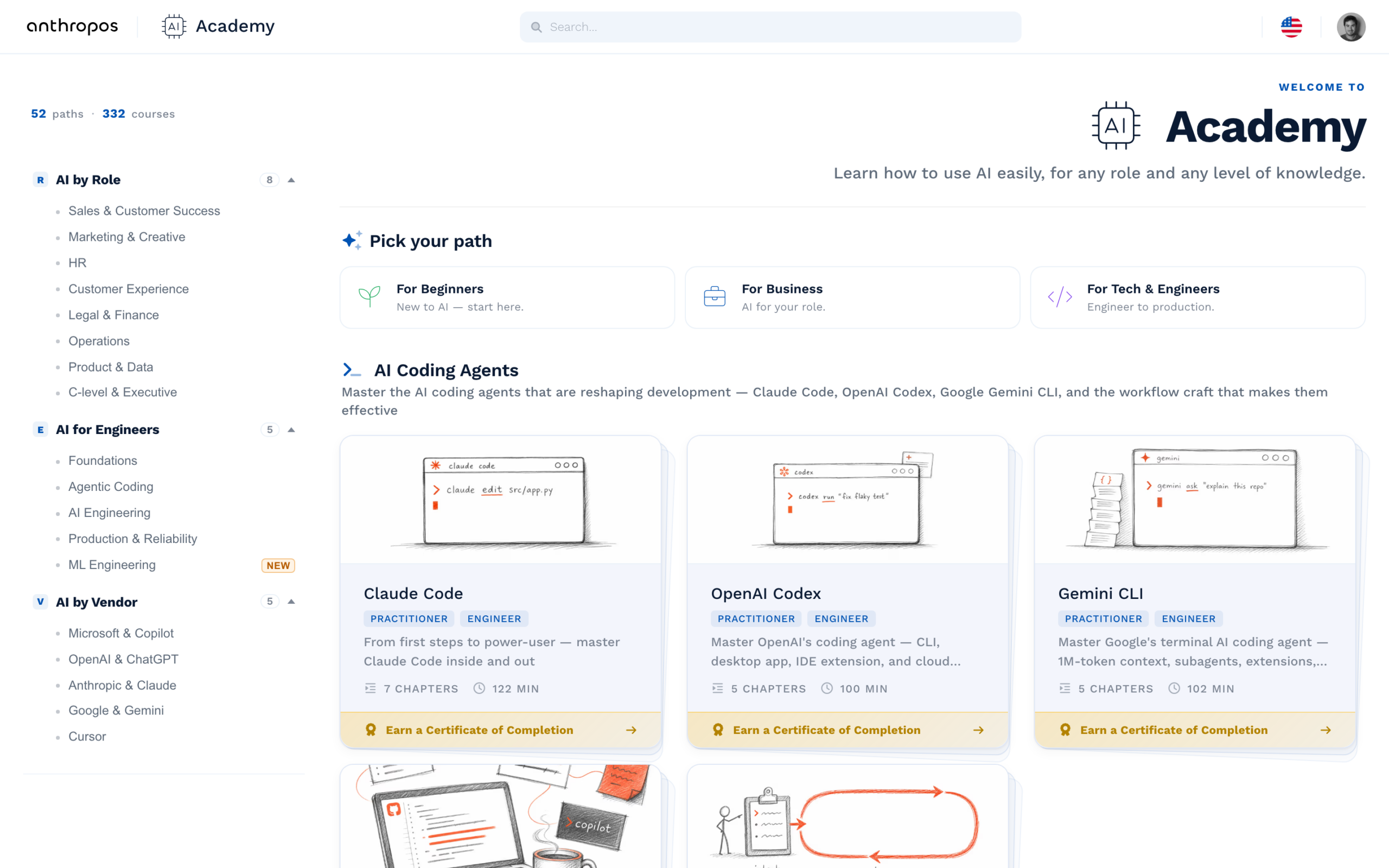
Build AI fluency with the Anthropos AI Academy
The Anthropos AI Academy is a self-paced learning library with 65+ Skill Paths and 330+ chapters that help employees build practical AI fluency across business, engineering, and beginner foundations. Curated learning journeys are available in 7 languages, with new chapters added every week so teams can keep pace with how AI is changing their roles.
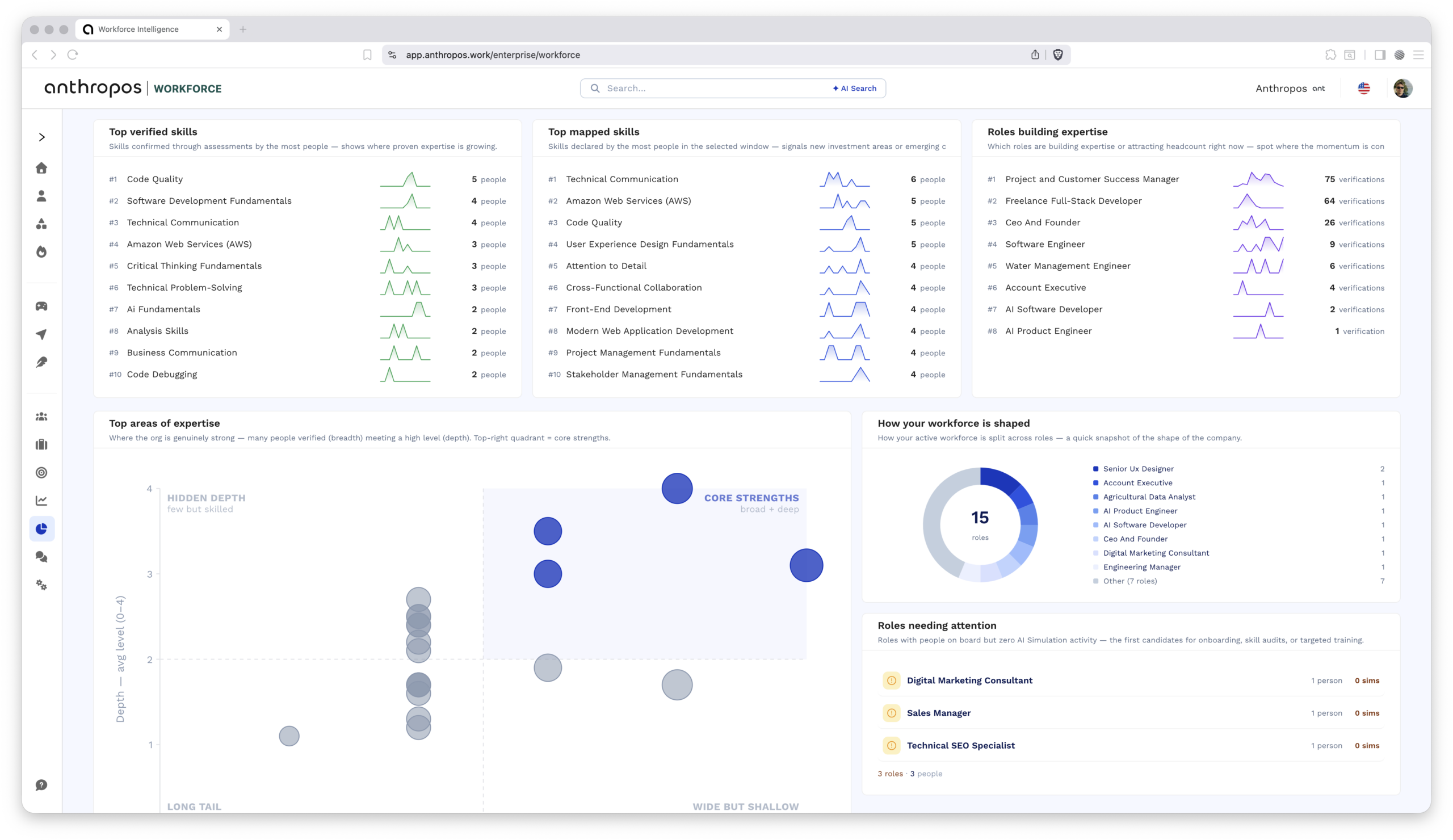
Introducing Workforce Intelligence dashboard
Workforce Intelligence provides a unified, interactive dashboard for leaders to explore workforce capabilities, spot skill gaps, track learning impact, and plan succession without relying on manual reports or queries. All key workforce signals—verified skills, simulation outcomes, learning progress, role coverage, and engagement—are consolidated into drill-down views and visualizations designed for HR, L&D, and business leaders to answer talent and readiness questions in seconds.
More precise control and better quality in simulation design
Studio now offers simplified templates for business and technical document simulations, a clearer Simulation Task Editor, and a more targeted AI assistant to refine specific actors, tasks, and criteria. Customizable evaluation checks and an improved generation pipeline produce streamlined simulations whose content, complexity, and scoring more closely match the design intent, helping learning teams and managers deliver higher-quality practice experiences faster.
April 2026
11 updatesDownload simulation recordings for offline review
Simulation recordings can now be downloaded directly, making it easier to review training sessions offline, share examples with stakeholders, and archive key interactions for compliance or internal enablement.
Branded emails for organization invites and AI Simulations
Join Organization and AI Simulation emails now reflect each organization’s custom branding, including logo and sender name, providing a more consistent and trusted experience for learners and employees.
Updated Skill Paths UI for Better Mobile Usability
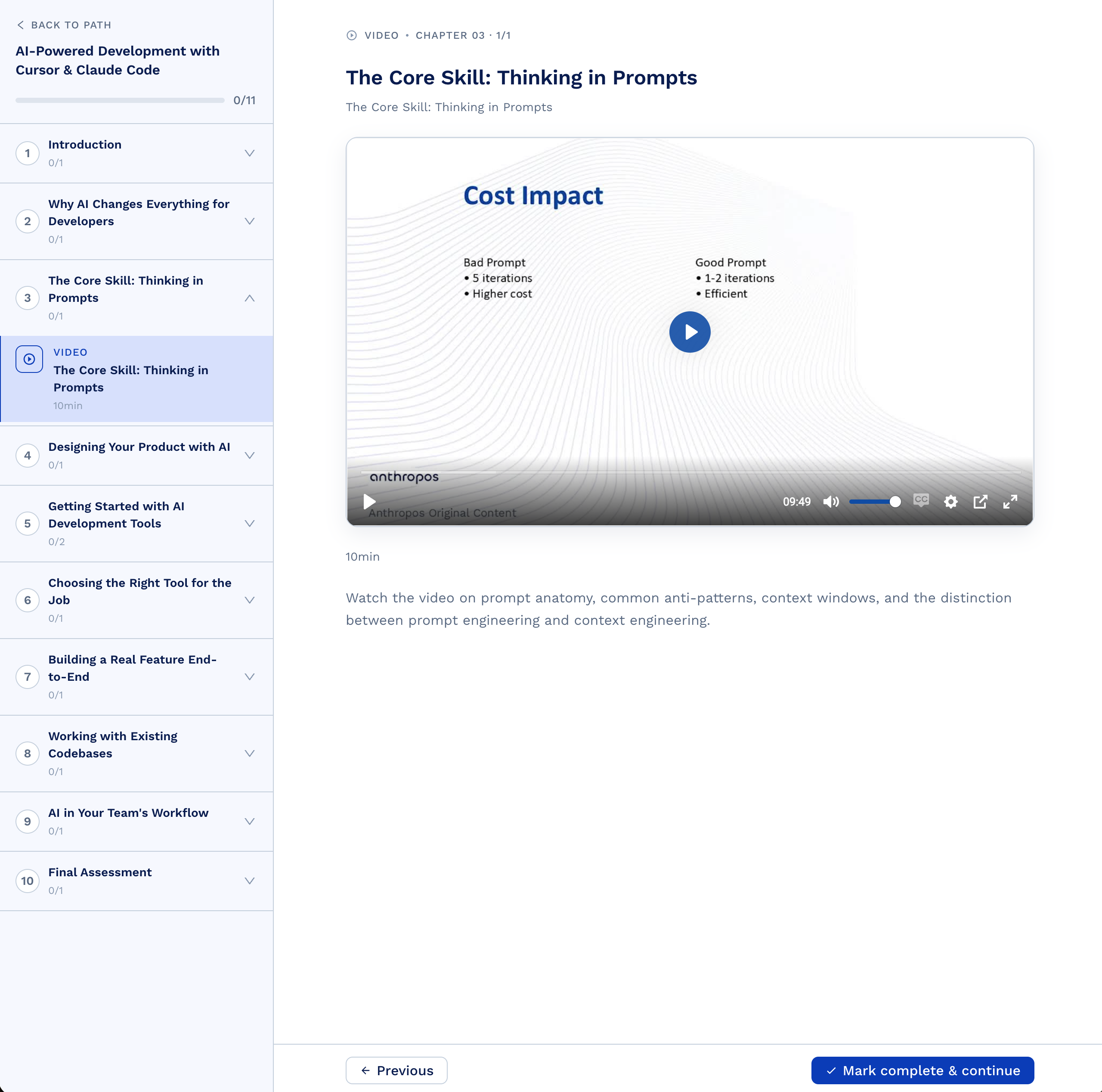
Skill paths landing pages and the player now use the updated design system, making the experience more consistent and easier to use, especially on mobile devices.
Anthropos Hiring: shorter, cleaner candidate assignment links
Assignment links sent to candidates are now much shorter, making them easier to share in emails or chat and cleaner to read on any device.
Faster, more reliable voice simulations
AI Simulations now sustain lower latency across long, complex conversations that combine voice calls with document work, chat, and other tasks — we continuously test and adapt new AI models to our infrastructure and skills technology. Every call is available in multiple languages, and Anthropos Studio lets you personalize voice interactions, AI actors, logic, questions and more in any AI Simulation or AI Interview.
New AI Simulation
A new AI Simulation is live in our public library — try it end-to-end or share it with someone preparing for a similar role.
New AI Simulations
A new AI Simulation is live in our public library — try it end-to-end or share it with someone preparing for a similar role.
Export AI Simulation results to any BI tool
Download a complete package of your team's best AI Simulation attempts — Interview Reports, Session Recordings, and full AI actor conversation transcripts in formats optimized for BI tools and AI analysis. Export to your data stack, run your own breakdowns, and share formatted insights with hiring managers, L&D leaders, and other stakeholders.
Spot low-confidence fields in AI Interview reports
Fields in AI Interview reports are now flagged when the AI Interview had limited evidence to work from. Managers and HR see at a glance which findings are high-confidence and which need a follow-up conversation with the employee.
March 2026
13 updatesAnthropos Hiring: source candidates from any CV format
Resume import now accepts scanned PDFs and photos alongside text documents, extracting structured fields so your pipeline stays consistent regardless of CV format.
Find any Simulation, Skill Path, or person
A new search experience spans AI Simulations, Skill Paths, and people across your platform. Get to the right content, profile, or assessment in seconds instead of browsing through categories.
Review Session Recordings in minutes
Admins can now move forward and backward through Session Recordings with higher speed and reliability, even on long AI Simulations, to pinpoint and discuss key moments with candidates or employees more efficiently.
Verify cloud engineers in one Simulation
A new cloud engineer AI Simulation is live in the Library — verify end-to-end role fit and assign it to candidates or employees.
Onboard candidates and employees in their language
Authentication screens now auto-translate based on browser language, reducing friction for multilingual teams and international candidates and employees. A refreshed visual design is also rolling out across the platform.
Assess real-world collaboration with shared documents in simulations
Players can now work alongside AI actors in a shared document embedded in an AI Simulation — write a brief together, draft a plan, collaborate on a decision. This lets you verify collaboration, writing, and decision-making skills in scenarios that go beyond chat and voice, and closer to how people actually work.
Deliver a fully branded experience to employees and candidates
Enterprise customers can now replace the Anthropos logo and product name with their own branding across Anthropos, delivering a unified experience to employees and candidates that matches their internal brand.
Fill My Skills the day an employee starts
The My Skills experience is redesigned for clarity, and employees are now prompted to rate skills for their role immediately after onboarding — so their skills profile is populated on day one instead of weeks later. Better skills data, sooner.
Brand the platform as your own
Admins can update your organization logo and display name directly in settings, so candidates and employees see your brand instantly without any support requests.
Keep launches stable at peak demand
Platform availability during high-traffic periods is more reliable, so large hiring waves or development cohorts can run AI Simulations smoothly without disruption.
Anthropos Hiring: focus candidates on role-fit simulations
The hiring site now surfaces role-matched AI Simulations for each candidate, cutting assessment noise and helping hiring teams focus on relevant skills.
Return to Simulations in seconds
Players can bookmark a Skill Path or AI Simulation and quickly resume it from an in-progress list, ideal for self-paced development in short sessions.
New AI Simulations for three key roles
3 new role-specific AI Simulations are live in our public Library, so you can verify real-world skills or share them with employees preparing for similar roles.
February 2026
10 updatesAnthropos Hiring: review interview simulations without distractions
Interview-style AI Simulations now hide candidate-facing feedback and highlight video status in results, so interviewers can review assessment outcomes with full clarity.
Ship higher-quality simulations faster
Anthropos Studio now creates richer AI Simulation drafts, so your team can iterate faster and publish scenarios that need less editing before players use them.
Set clear expectations before simulations
Simulation landing pages now show clearer duration details with localized date pickers and visual tweaks, so candidates and employees know exactly what to expect before they start.
Verify skills for key tech and sales roles
4 new AI Simulations for roles like backend software engineer, software engineer, and inside sales rep are now available in the public Library for both Hiring and Workforce use.
Launch AI Simulations faster with fewer steps
Admins can now configure and launch AI Simulations faster, with smarter skill suggestions, quicker saves, and a simpler microphone check so teams go live with less friction.
Customize platform behavior to match your governance model
Three new organization-level settings let you enforce a private skill taxonomy, control leaderboard visibility in simulations, and configure submission validation. Build the exact experience your team needs without workarounds.
Network readiness assessment for uninterrupted call simulations
The pre-simulation network check now measures latency, jitter, and packet loss — the metrics that determine call quality. Candidates receive immediate feedback on their network readiness before starting, ensuring optimal performance throughout the simulation.
Keep scenario context visible while completing tasks
In AI Simulations, the scenario brief now appears as an overlay on the conversation instead of replacing the task list, so players can reference both at once when completing work.
Anthropos Hiring: keep candidate voice AI Simulations clear
Voice AI Simulations now automatically validate that candidates are using physical microphones rather than virtual audio inputs, helping recruiters hear communication skills clearly.
Verify backend engineers in one Simulation
A new backend software engineer AI Simulation is live in the Library, so you can verify backend skills end-to-end for both candidates and employees.
January 2026
14 updatesKeep voice Simulations responsive on any device
Voice interactions in AI Simulations now stay responsive and stable, even for long sessions on lower-spec devices, so candidates and employees can focus on the scenario itself.
Keep employees in the Skill Path
PDFs inside Skill Paths now open directly in the platform, so players stay focused. Videos only mark a step complete when they finish, keeping progress tracking accurate.
See Simulation results at a glance
A dedicated feedback page now visualizes AI Simulation results with charts, so admins can skim performance and share highlights with managers for follow-up.
Build AI consulting and prompt skills
New AI Simulations in the Library let candidates and employees rehearse AI consulting and prompt-iteration scenarios before stepping into similar roles.
Anthropos Hiring: standardize structured interviews inside AI Simulations
Run structured interviews as call or chat tasks inside AI Simulations, so you can standardize role-based and compliance interviews and scale enterprise hiring programs consistently.
Anthropos Hiring: reduce candidate anxiety before assessments
Candidates can now run a short demo AI Simulation before the real assessment, reducing first-time anxiety and giving your hiring team a clearer signal.
More realistic voice simulations with longer calls and natural wrap‑ups
Voice calls in AI Simulations now run up to 30 minutes, with a final two‑minute wind‑down where the AI actor guides the conversation to a natural close.
Assess sales and fullstack roles faster
New AI Simulations in the Library let you verify skills or practice for inside sales, customer success, fullstack engineering and similar roles.
Anthropos Hiring: shape the candidate experience to your policies
Organizations can now show or hide simulation results to candidates, set a custom result message, and configure a maximum number of attempts per simulation. Match your hiring process and candidate-experience guidelines without customization work.
Onboard players faster in any language
During onboarding, skill descriptions now appear on hover and adapt to the browser language, so new players can understand required skills and start using Anthropos faster.
Verify AI readiness with new simulations
3 new AI Simulations are live in the Library so you can verify AI skills end-to-end or assign them to teammates preparing for similar roles.
Task list you can trust
Cleaner task UI with a 5-second undo on any action — so an accidental tap doesn't cost you progress. An inline viewer for documents and spreadsheets was also added for simulations that reference files.
Review every coding simulation in full
Coding AI Simulations now show 'Run code' as the primary action, aligned with how your team works. Video recordings capture the full simulation experience, including audio narration, so managers can review how candidates and employees actually performed.