
AI readiness assessment for your whole workforce. Scored on evidence, not a survey.
Measure AI adoption and AI proficiency person by person. Every employee gets one AI Readiness score from 0 to 100, built from three short steps: a skill mapping, a hands-on AI Simulation and an AI Interview. Nobody rates themselves. Leaders see the organisation, each team and each person on a Knowledge by Usage map, with the action that fits each group. It runs as repeatable cycles, so the second one shows you what moved.
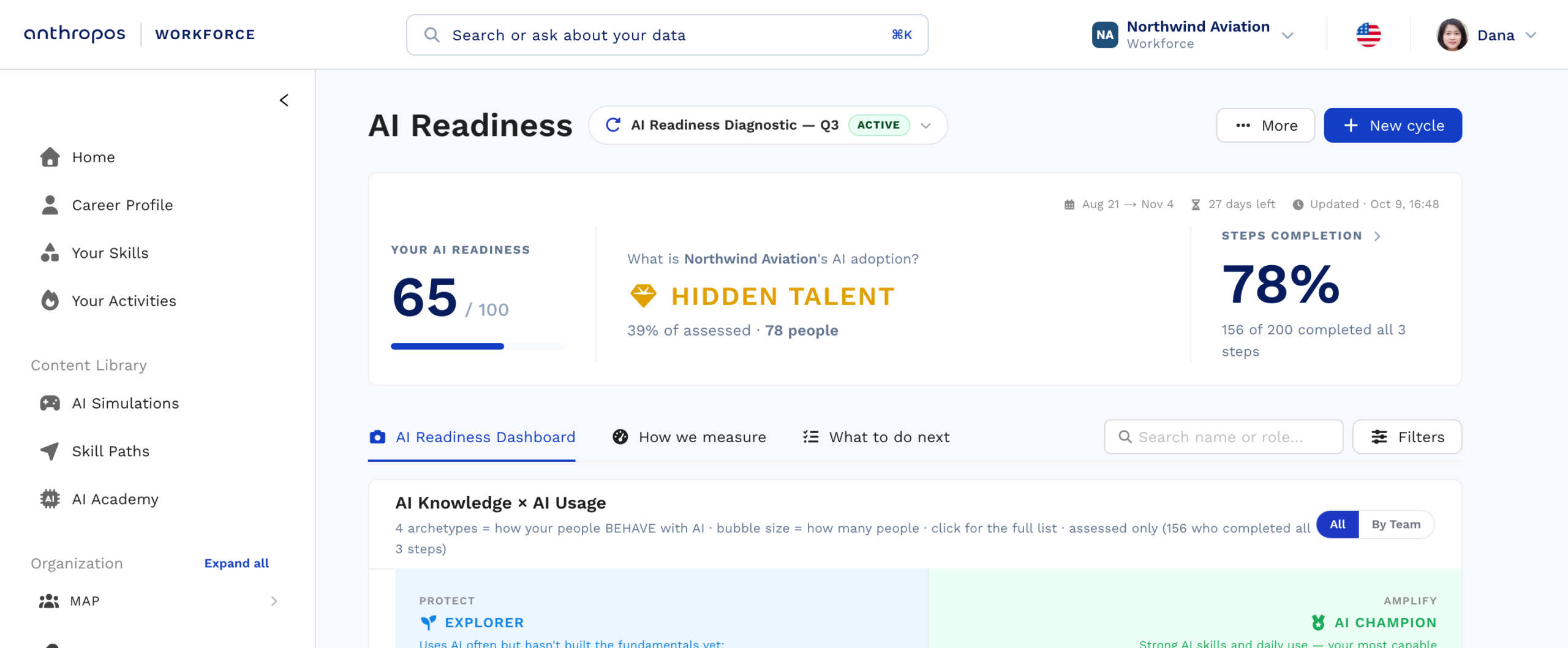
Answer the board question with something other than a licence count.
Seats bought and courses finished only ever go up, which is why licence counts are a poor measure of AI adoption. An AI readiness assessment measures what people can actually do with AI, and how far it has reached the real work.
Know where the organisation stands
Prove the programme worked
Your CEO, your CFO and the board are asking what the AI spend bought.
The licences are on an invoice and the training is in an LMS log. Neither tells you whether the work changed. AI Readiness gives you the two numbers the question actually needs: how capable your people are, and how many of them genuinely use AI to do the job.
Who is actually capable
A verified score per person, from a hands-on task rather than a self-rating. You can say what share of the workforce can do the work differently today, by team and by business unit, and defend the number.
Who actually uses it
Capability and usage are scored on separate axes, so the person holding a licence they never open is visible as Hidden Talent, and the seat you are paying for shows up as either a working tool or a line item.
What changed since last time
Run a second cycle on the same people after the programme. The difference between the two is the return: not courses completed, but the share of the workforce whose verified capability moved, and the teams where it did not.
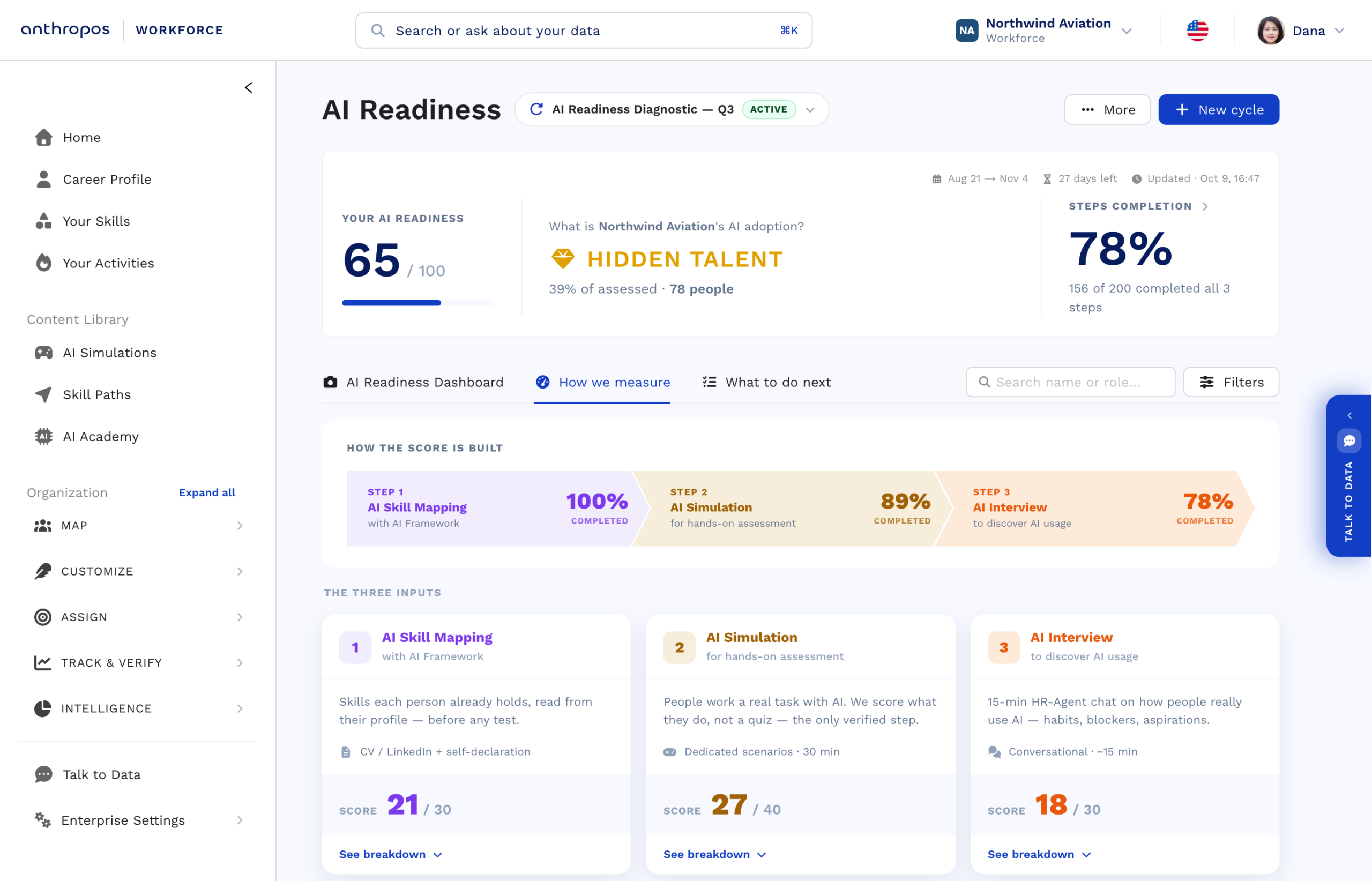
Each cycle closes with what it covered and what it saved: skills mapped, and the hours of hands-on assessment and one-to-one interviews it replaced. Northwind Aviation, our demo org.
Three verified signals, and not one of them is an AI readiness survey.
Each step contributes its own points, and each one measures something the other two cannot see.
AI Skill Mapping
A short wizard: the person ticks the AI skills they hold and the tools they use, from your own framework. It sits next to the skills already read from their CV and profile, so step one exists before anyone is invited. Holding a skill counts; there is no self-rated level to inflate.
Hands-on assessment, and you choose it
At launch you pick what each group is assessed on: an AI Simulation built for business roles, an AI Simulation built for technical roles, or an AI Lab for technical teams. A business scenario might be turning survey data into a leadership email with AI; a technical one is a real engineering task. This is the step where a skill stops being declared and becomes verified.
AI Interview
A conversation with an AI interviewer about how the person really works with AI: habits, tools, what blocks them and where they want to get to. It drives the usage side of the score and brings back their own words, not a rating.
An average tells you nothing. Four types tell you what to do.
Every person lands in one quadrant of AI Knowledge by AI Usage. Each quadrant carries a different problem and a different fix.
Standby
Explorer
Hidden Talent
AI Champion
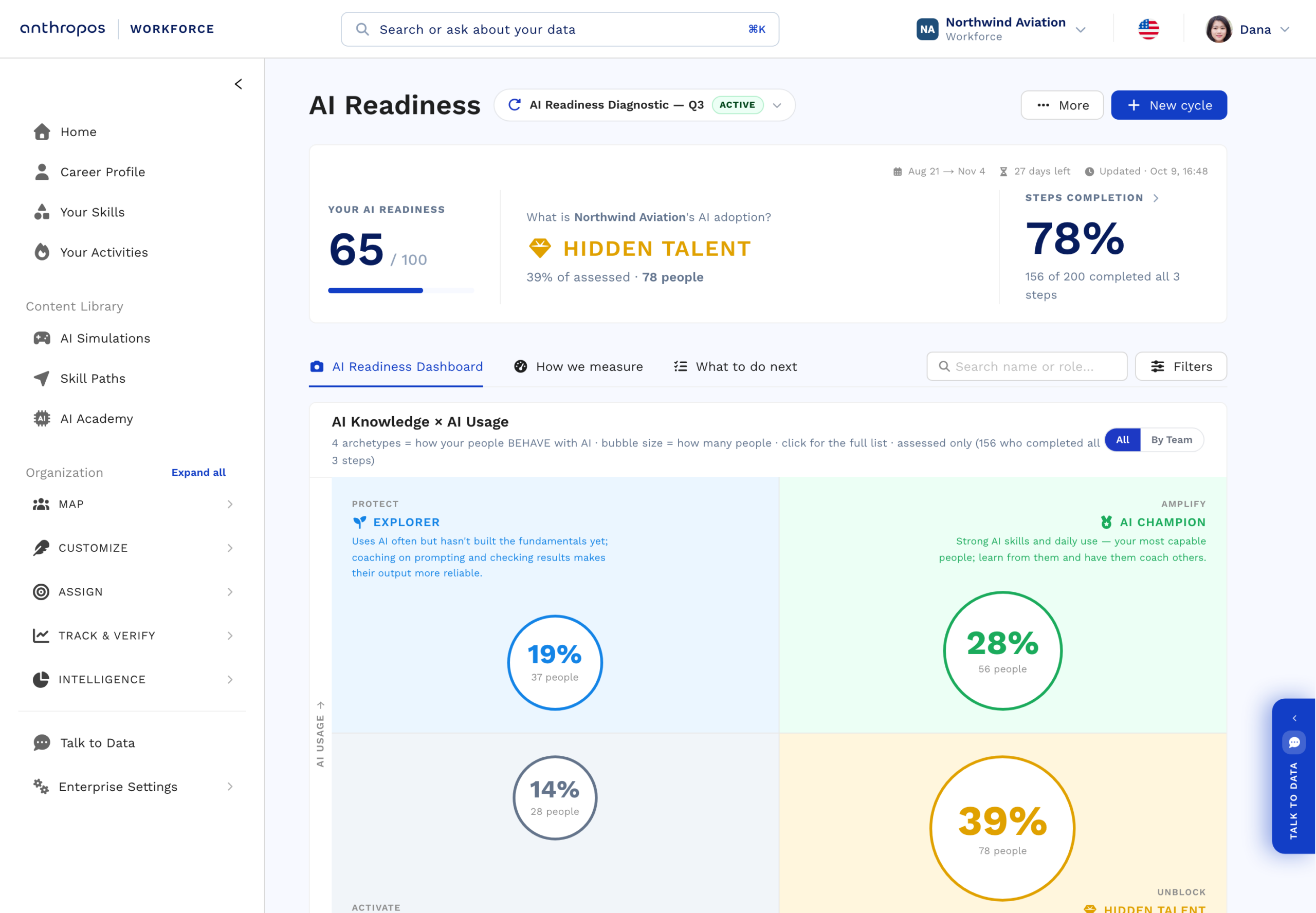
The map, with each quadrant openable to see exactly who is in it. Northwind Aviation, our demo org.
Every group gets an action, and every person gets a path.
A score nobody acts on is a slide. This is the tab that turns the snapshot into a programme.
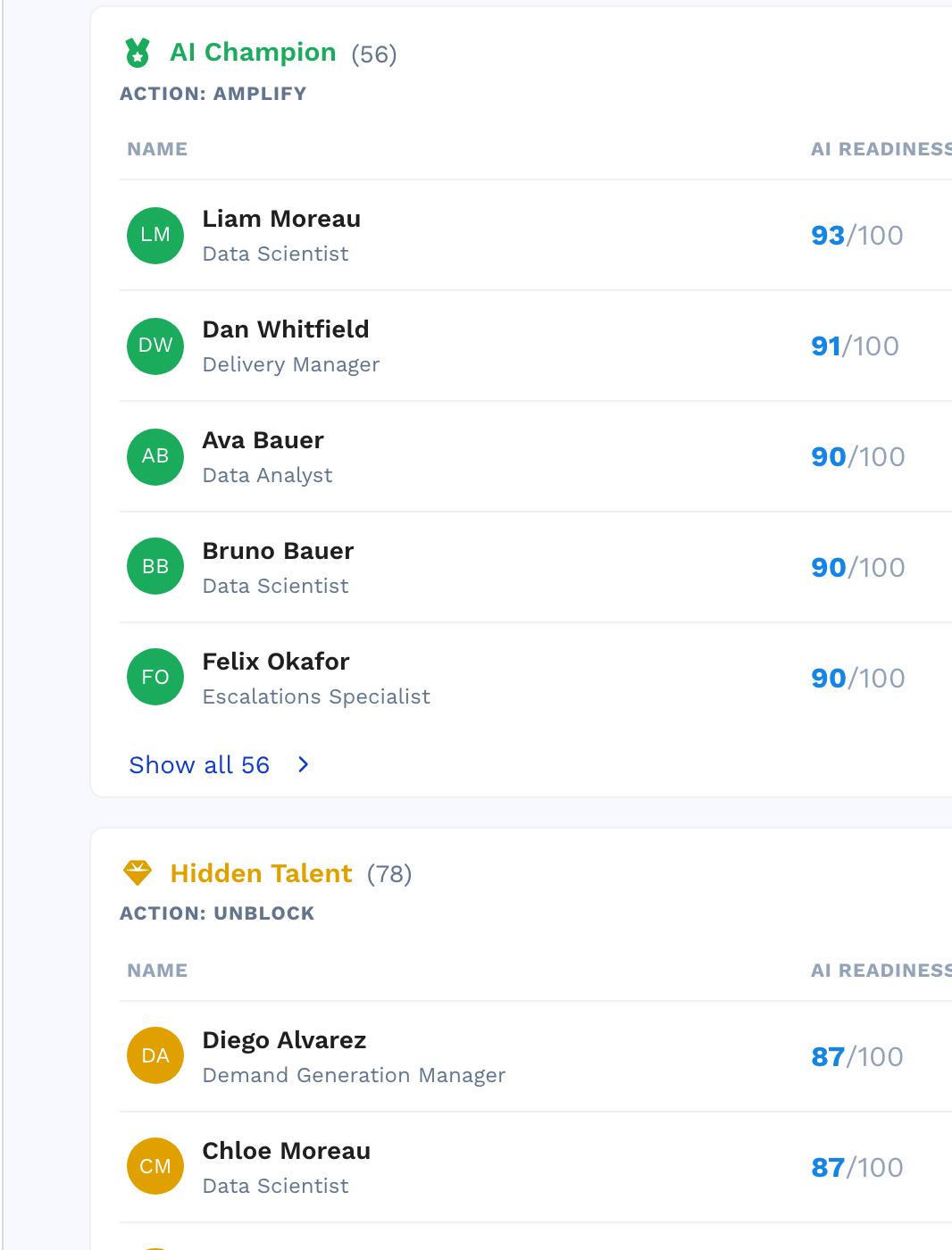
Grouped by behaviour, not ranked
People are grouped by how they behave with AI, and each group carries the move that fits it: amplify your Champions and have them coach, unblock the Hidden Talent whose only problem is permission, activate the Standby group with onboarding and small wins.
A learning path chosen from their own evidence
When someone finishes all three steps, Anthropos builds them a path of AI Academy courses, picked from their interview, their simulation results and what their role is expected to do with AI, and justified by quoting their own evidence. It can be assigned automatically the moment they finish.
And a name against every number
Every figure on the dashboard opens the list of people behind it, down to the individual, with the biggest capability gap named and the interview quotes that explain it.
The gap is never evenly spread, so it needs an owner.
The same score rolls up by team, business unit, location or role family, which is what makes it usable in a board pack rather than only in HR.
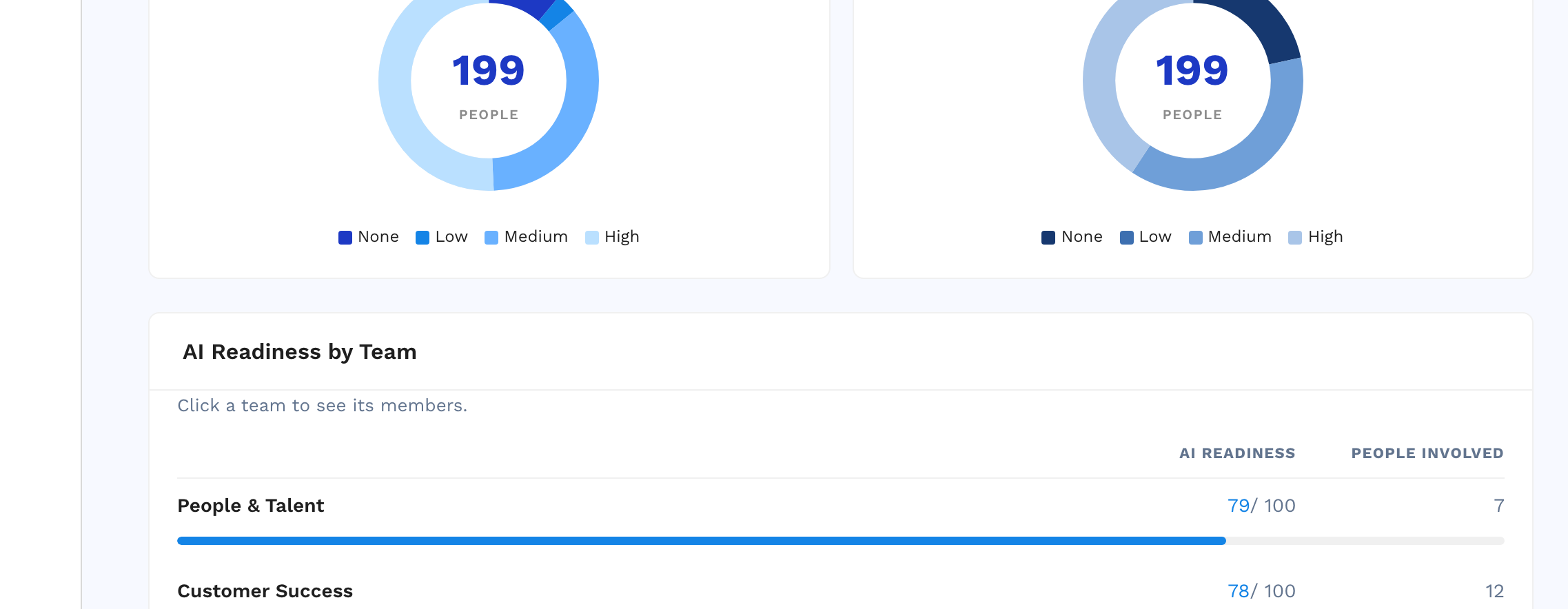
AI Readiness by team, so you can see which teams to fund next. Northwind Aviation, our demo org.
For engineers, measure the work itself.
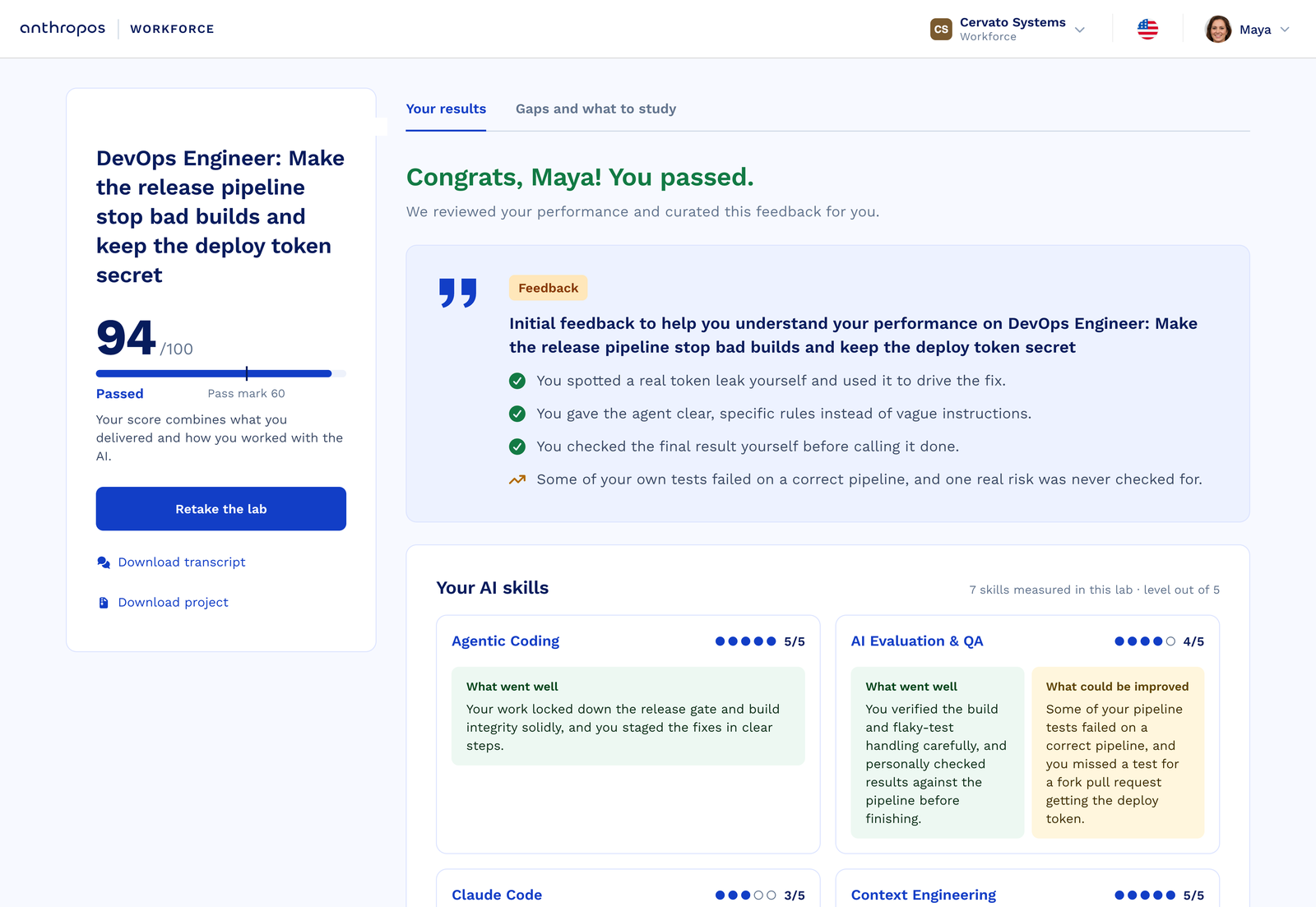
AI Readiness measures the whole workforce on one scale. For technical roles the hands-on step is an AI Lab, so engineers are measured on real agentic coding work rather than a scenario, and still land on the same score and the same map as everyone else.
AI Labs
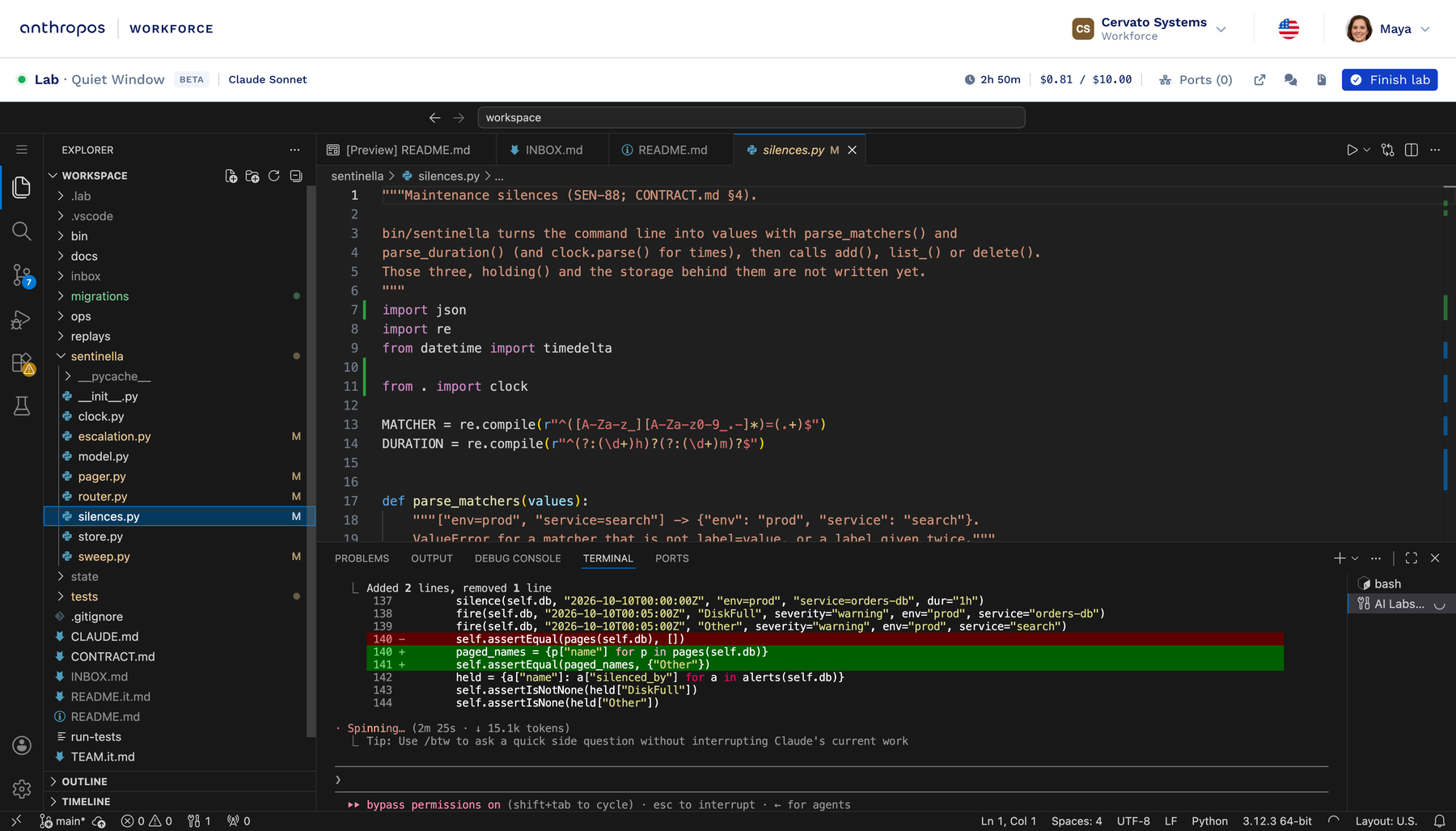
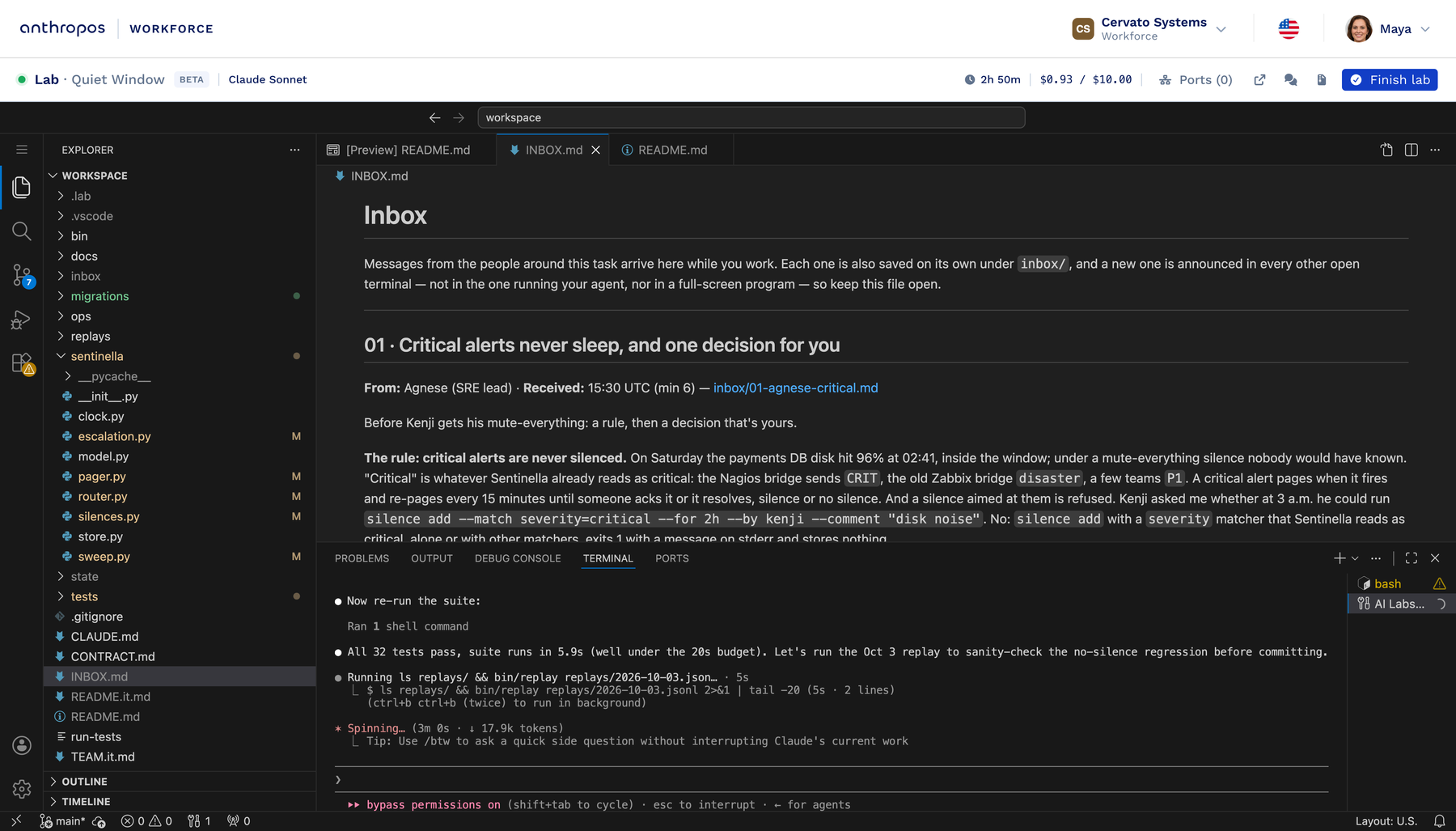
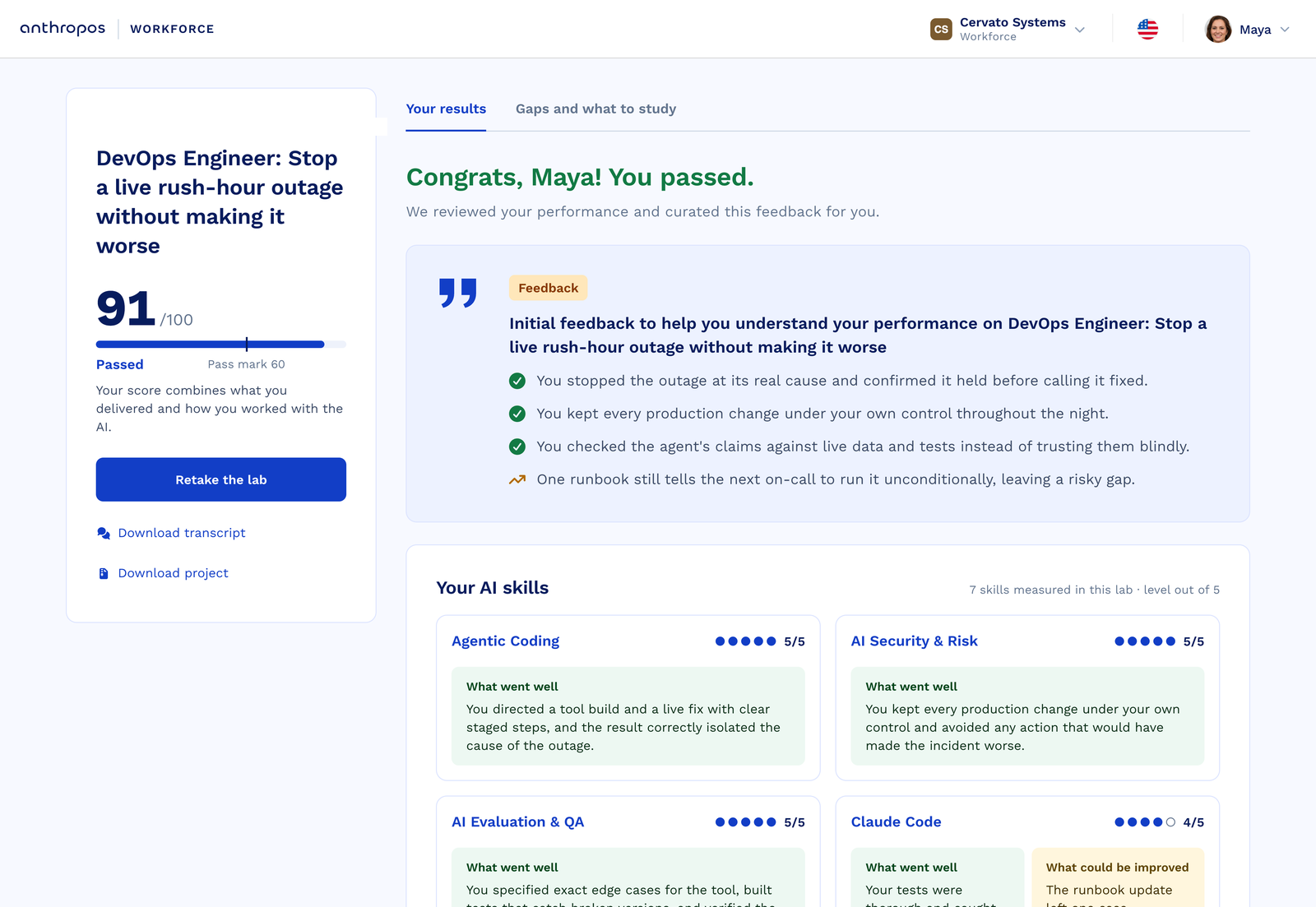
A real task in a full development environment in the browser, with Claude Code running in the terminal. Automatic checks run the code the person actually wrote, and an AI reviewer rates how they directed and checked the agent. Only the person’s own messages earn credit, so a clean result produced by an agent left alone is not credited to them. AI Labs is an add-on, in beta for selected customers.
Technical teams take a Lab as their hands-on step
For technical roles, step two is an AI Lab instead of an AI Simulation: a real coding task in a cloud workspace, in the browser, with nothing to install. Labs are designed for software engineers, DevOps and cloud, data and security roles. The first scored attempt in the cycle counts, so a retake cannot inflate the result, and a lab used in a cycle is hidden from the self-serve library so nobody can practise the assessment in advance. The score, the profiles and the dashboards stay exactly the same, and business teams keep the simulation.
It measures capability and use. Nothing else.
No emotion recognition, no sentiment scoring
Employees see only their own result
Informs a decision, never makes one
Never used to train a model
SSO & SAML
Nothing here decides employment, promotion or termination on its own, which is what keeps it outside the high-risk category the EU AI Act defines for those decisions. A low score produces a plan, not a label.

What HR and leadership teams ask.
How is this different from an AI readiness survey?
A survey asks people to rate themselves, which measures confidence rather than competence. Two of the three steps here are behavioural: a hands-on AI Simulation that scores what someone does in a real AI task, and an interview about how they actually work. The skill mapping records which skills someone holds, with no self-rated level to inflate.
How long does it take?
Under an hour per person across the three steps, and an admin can launch a cycle in about five minutes. It is self-service with a ready-made default configuration, so there is no content to build and nothing to set up with us first.
Does it work for non-technical roles?
Yes. The four AI types are role-agnostic by design, and business and technical teams get different step-two scenarios. Finance, operations, commercial, HR and front-line management are measured on applied AI use; engineers can be measured on building with AI.
Does it measure sentiment or emotions?
No. The interview records and organises what people say about how they work with AI. It does not infer emotions or derive sentiment scores, a deliberate design choice aligned with the EU AI Act.
Who can see an individual’s result?
In the product, employees see only their own result. Dashboards and reports are for admins, and the customer API returns organisation-level totals only, never per-person results.
Can we compare teams, departments or countries?
Yes. The score aggregates on any dimension you organise by: team, department, business unit, location or role family, and every number opens the list of people behind it.
What happens after the score?
Each profile carries a recommended action, and every person who completes all three steps gets a learning path of AI Academy courses chosen from their own evidence. It can be assigned automatically when they finish.
Can we run it again later?
That is the point of cycles. Closing one freezes every score and result into a permanent snapshot, and the next cycle on the same population gives you the delta.
See the four types inside one of your business units.
Book a demo and we will walk a real cycle end to end: what each person goes through, and the dashboard their CHRO would take to the board.