
Describe it. The agents build a custom assessment.
Studio is an Agentic Assessment Builder. Describe what you need, and its AI agents build a complete AI Simulation, or a full course with Course Builder. They write the scenario, cast the characters, evaluate every skill and task, and personalize the result to each person. You steer. The agents build.
Assessments and training used to take months.
Building a real assessment or a course meant outside vendors, long briefs, and a bill for every change. Most teams simply never got to it.
Agencies, briefs, and months
Generic, never yours
Frozen the day it ships
Describe a real moment. Studio builds it.
Studio is the authoring surface for AI Simulations. Tell the agents what you want to assess or teach, and they turn your description into a complete, playable scenario.
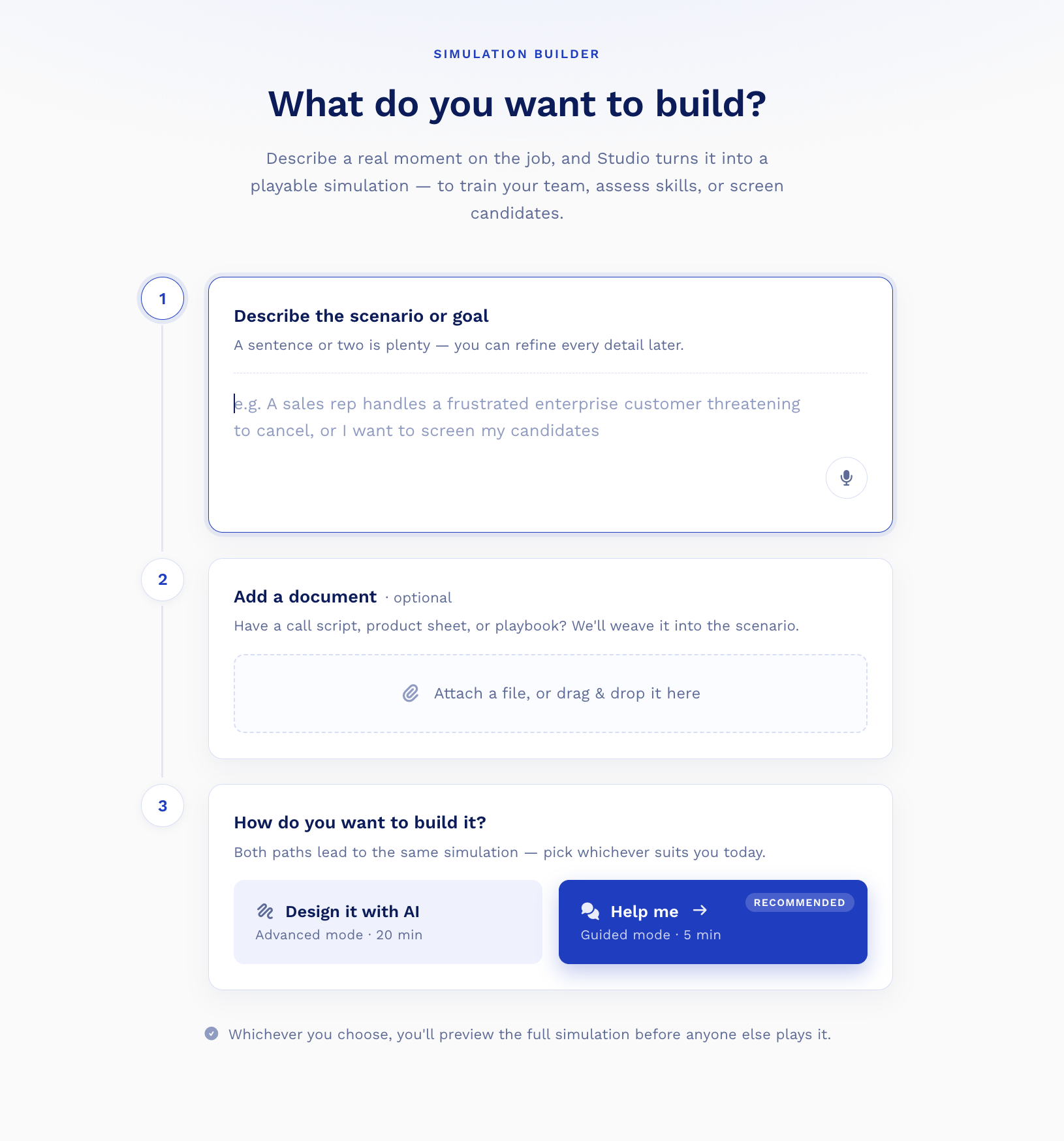
A sentence or two is plenty
Describe the scenario or goal in plain language, like “assess whether an AI engineer can scope and rebuild a legacy service under product pressure”. You refine every detail later.
Add a document, optional
Have a call script, product sheet, or playbook? Attach it and Studio weaves it into the scenario and the characters’ knowledge.
Guided or advanced, your call
Pick a five-minute guided build or full advanced control. Both lead to the same simulation, and you preview it before anyone else plays.
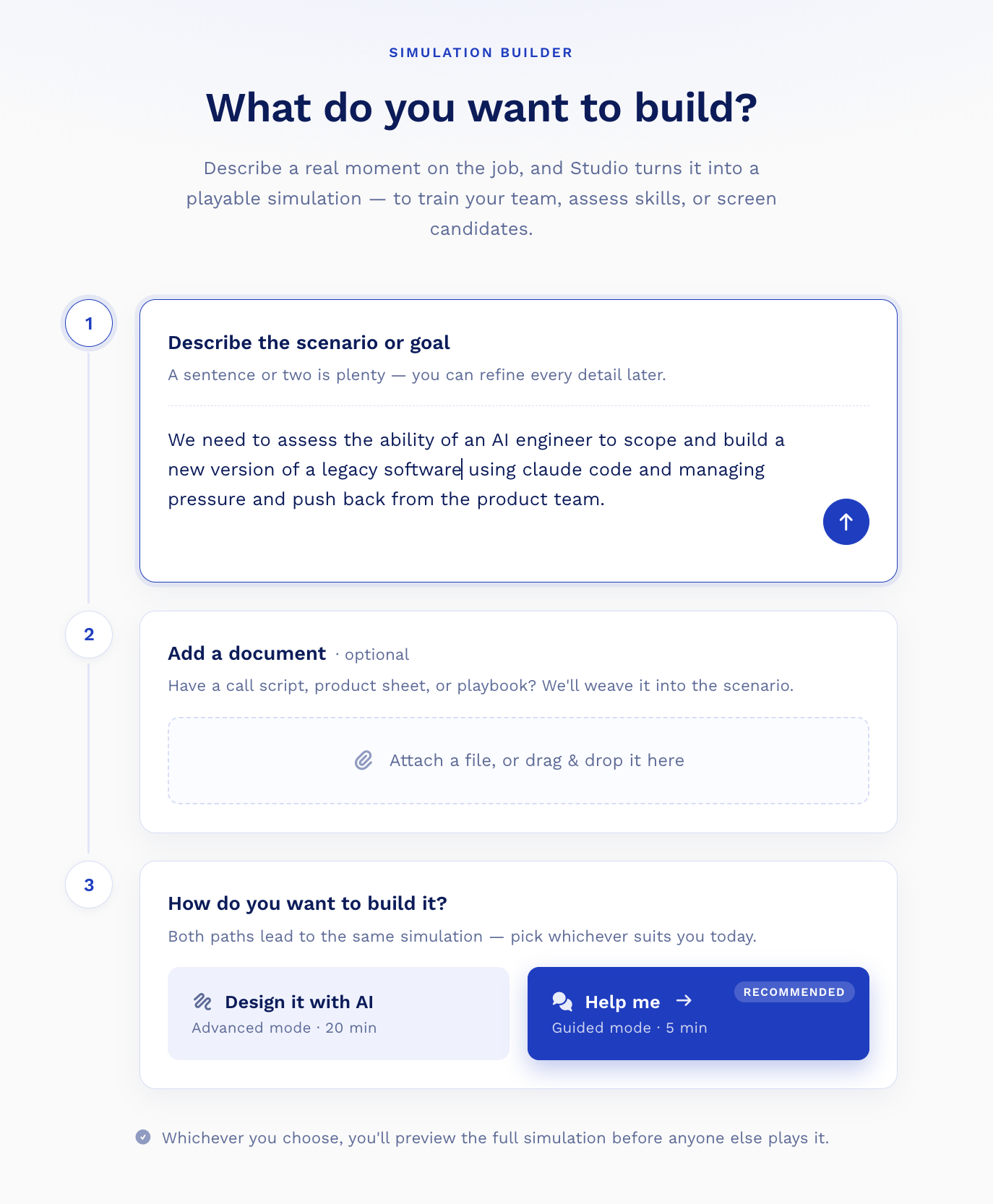
The same box, with a real brief typed in. From here, Studio does the structuring, you keep the judgment.
Not a form. Agents that do the work.
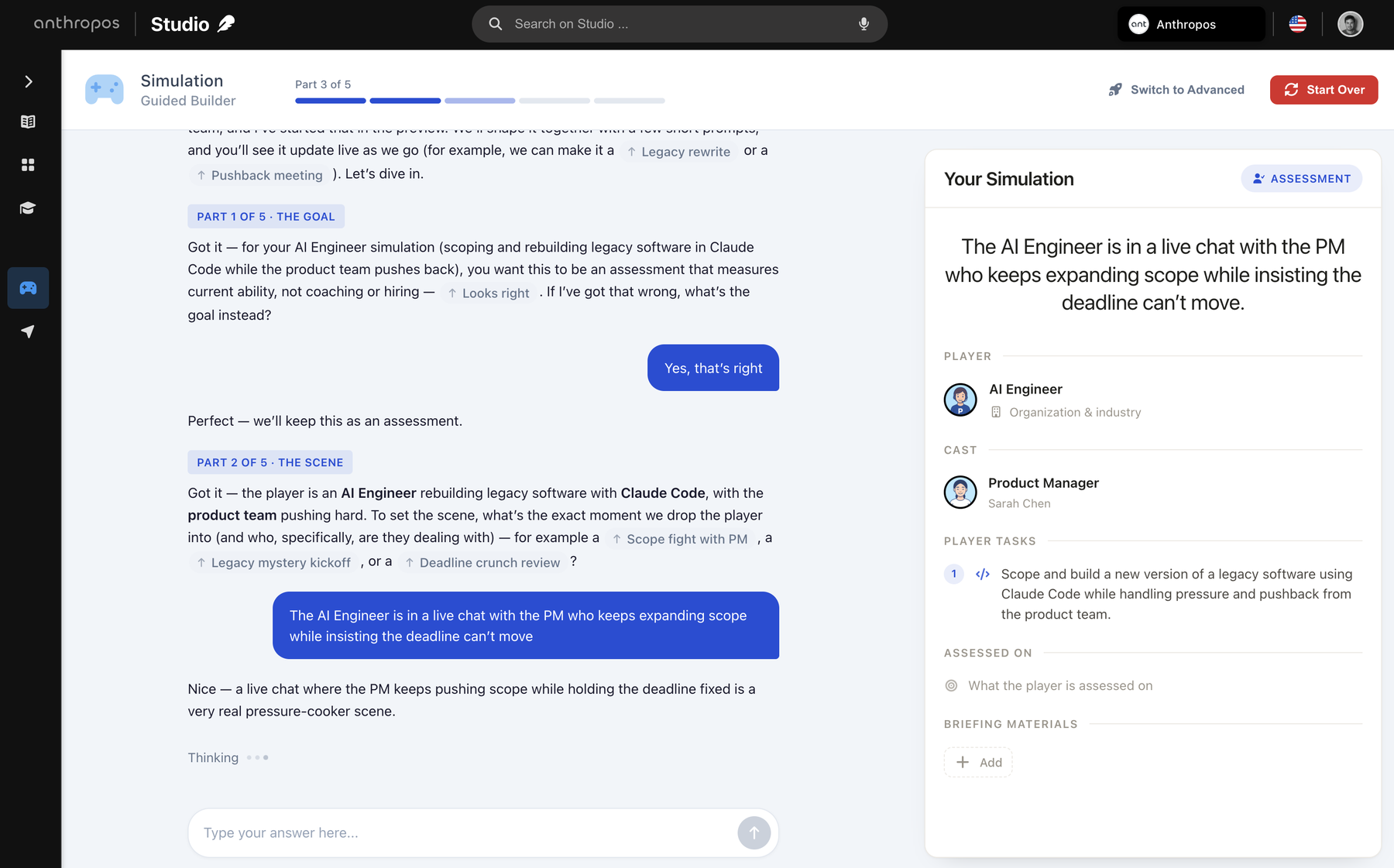
Studio is not a template gallery with fields to fill. Its agents read your brief, write the scenario, cast the characters, design the Skills Evaluation, and draft the course, then hand you the controls.
Build from your brief
Scenario, characters, tasks, and score checks from a sentence and an optional document. A full course from a topic.
Catch what is missing
They review the plan and propose the gaps, like a release-readiness call or a security criterion, before you ship.
Take direction in plain words
Rename it, add a task, tighten a scene, make module two shorter. Describe the change and the agents apply it.
The agents do the heavy lifting. The judgment stays yours.
Technical or business. Every kind of skill.
The agents build the same way whether you are assessing an engineer or a sales lead. A simulation can be a deeply technical coding challenge, a high-pressure business conversation, or both at once.
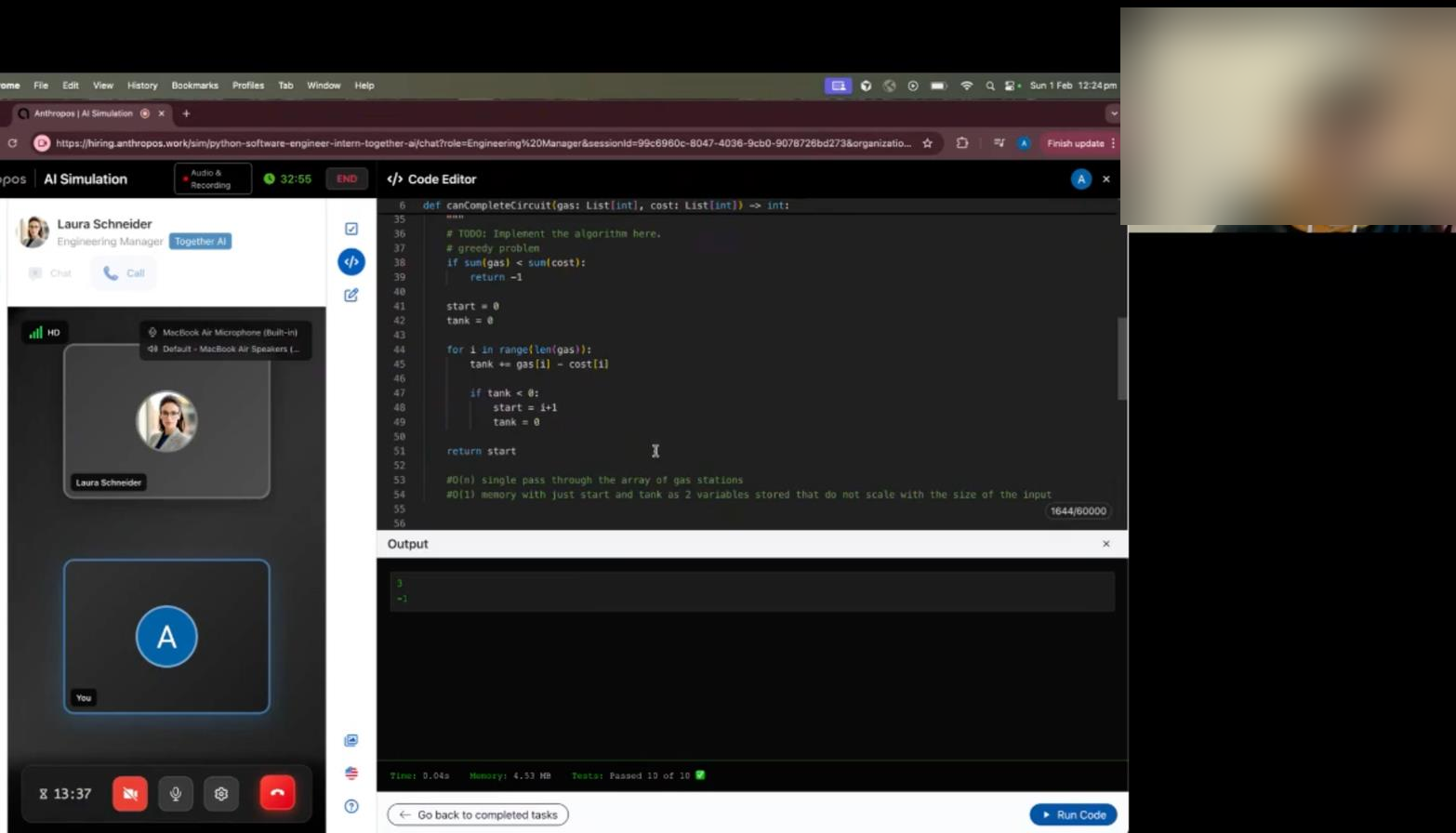
Technical simulations
A live code editor with test execution and real AI tools: Claude Code and Codex. Debugging, architecture, and pull-request review, scored on the actual work. Hard skills, measured for real.
Business simulations
Voice calls, negotiations, and stakeholder management with AI actors who push back. Discovery calls, escalations, and coaching conversations. Soft skills, under realistic pressure.
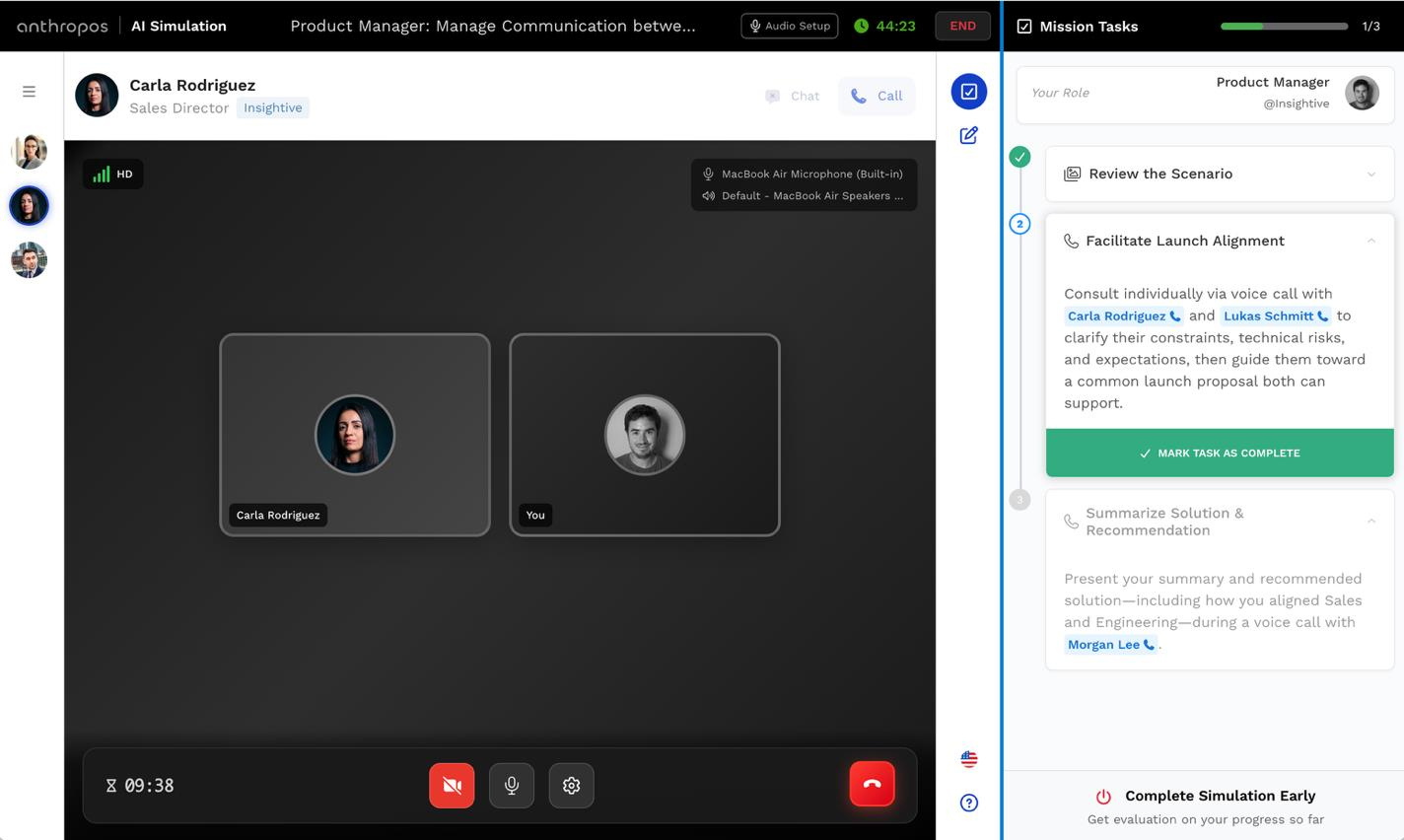
And you can combine them in one run. A single simulation can pair a coding task with a stakeholder call and an interview inside the tasks, so hard skills, soft skills, and judgment are all assessed together.
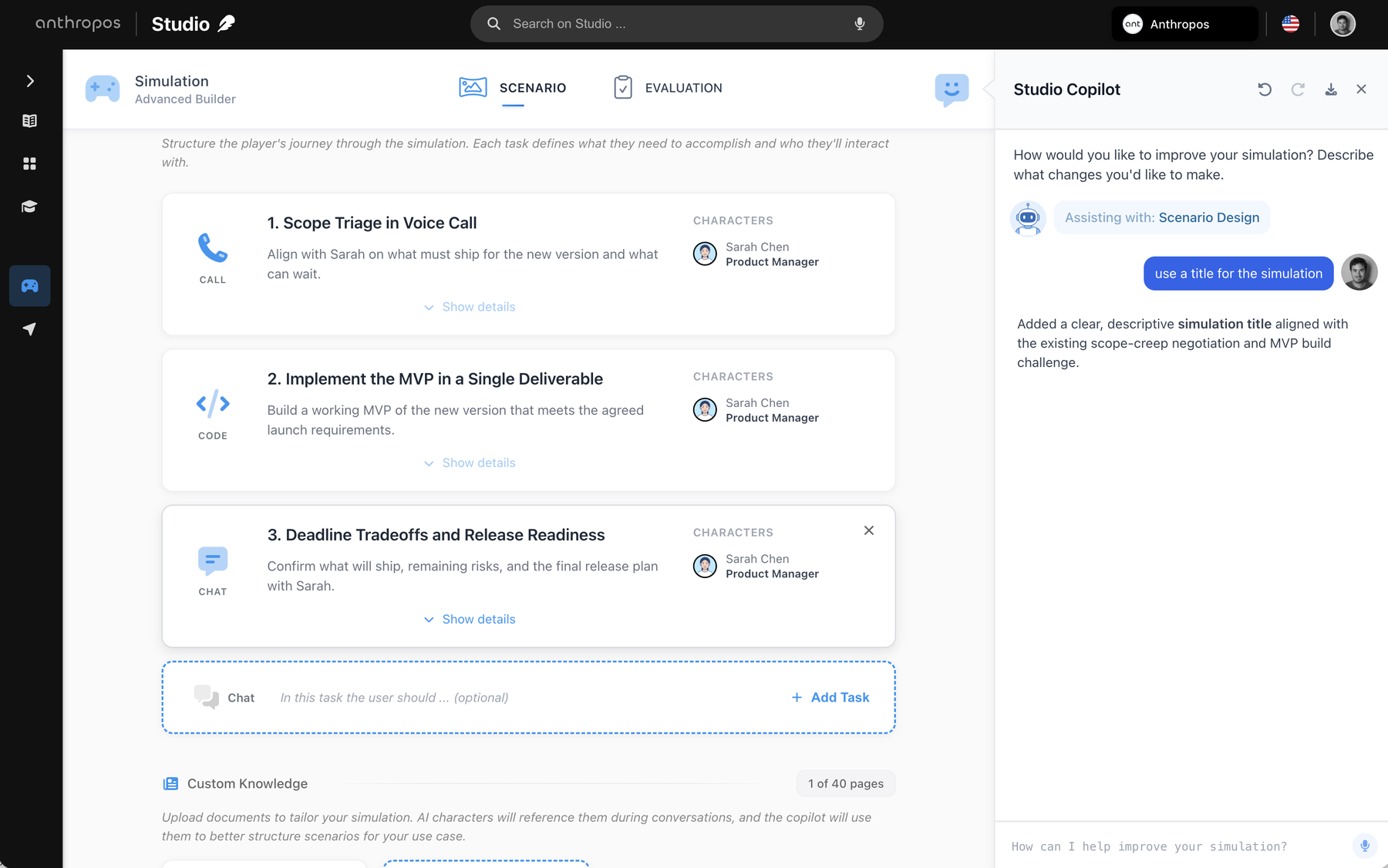
Full control, whenever you want it.
Advanced mode opens the whole scenario. Build it by hand, or keep the Copilot beside you and change anything by asking.
Sequence the tasks
Voice calls, live coding, chat, and document work, ordered to mirror how the real job actually unfolds.
Cast the characters
Up to four AI actors with names, roles, and difficulty. Add the pushy PM, the skeptical client, the supportive lead.
Custom knowledge, up to 40 pages
Upload SOPs, product docs, and policies. The actors reference them, and the Copilot structures the scenario around them.
Ask the Copilot to change anything
Add a task, rename the simulation, tighten a scene. Describe the change in the side panel and it applies it in place.
Skills Evaluation
The agents do not just build the scenario. They build the engine that grades it. Skills Evaluation scores the skills and the tasks, objectively, and turns every simulation into data you can act on.
Evaluates the skills and the tasks
Not a single grade. Each of the three to five skills is scored, and each task, the call, the code, the document, is graded against its own checks.
Grounded in the 4,000+ skill taxonomy
Skills come from the taxonomy and carry benchmarks, so a level means the same thing across every team and every build.
Must-pass checks, 0 to 5 competency
Essential checks that must pass, plus score checks that contribute. Raw results map to a 0 to 5 level, every point traceable to what the person did.
Personalizes everything downstream
Results update each person’s skill profile and readiness, and tell Course Builder exactly what to teach them next.
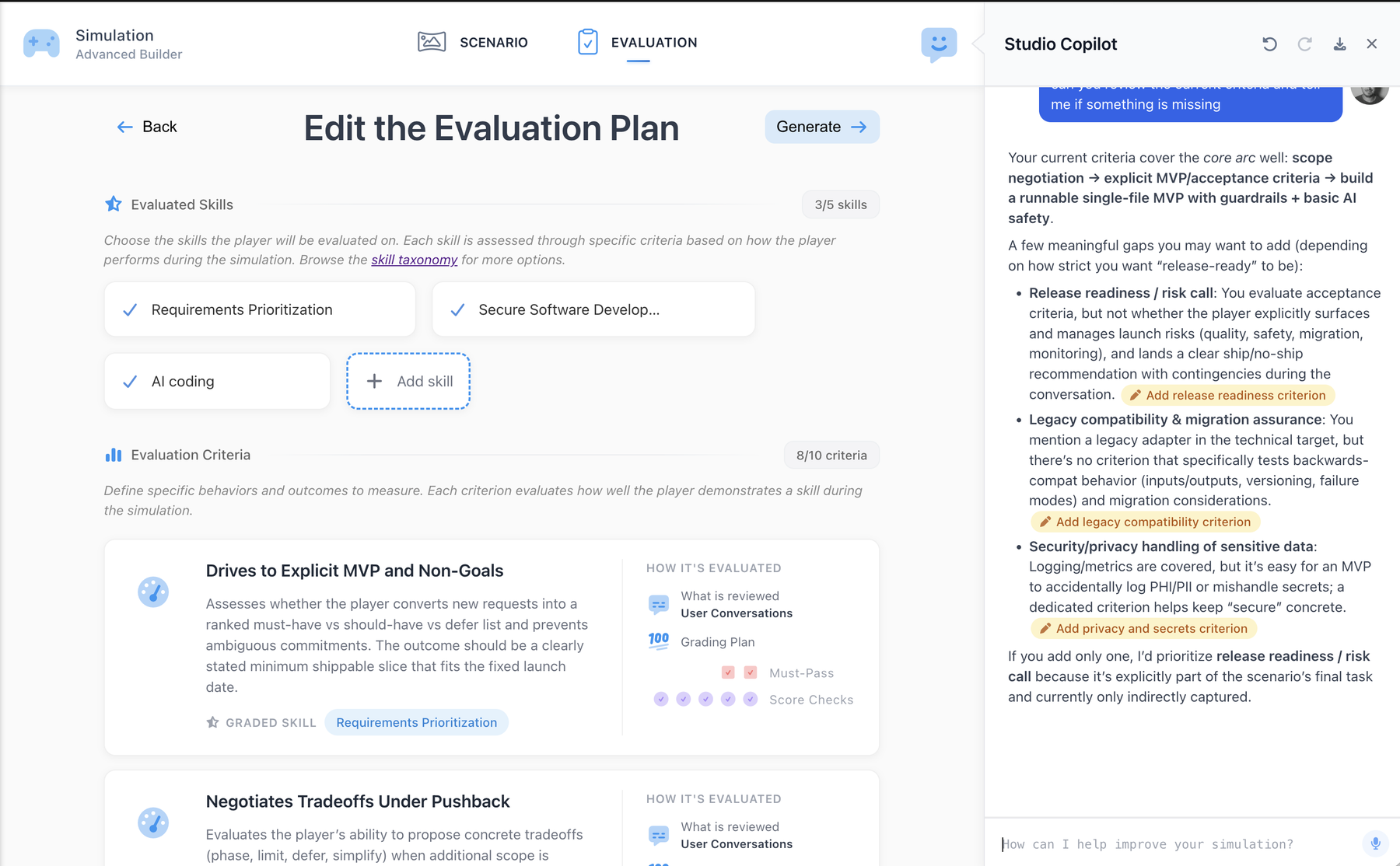
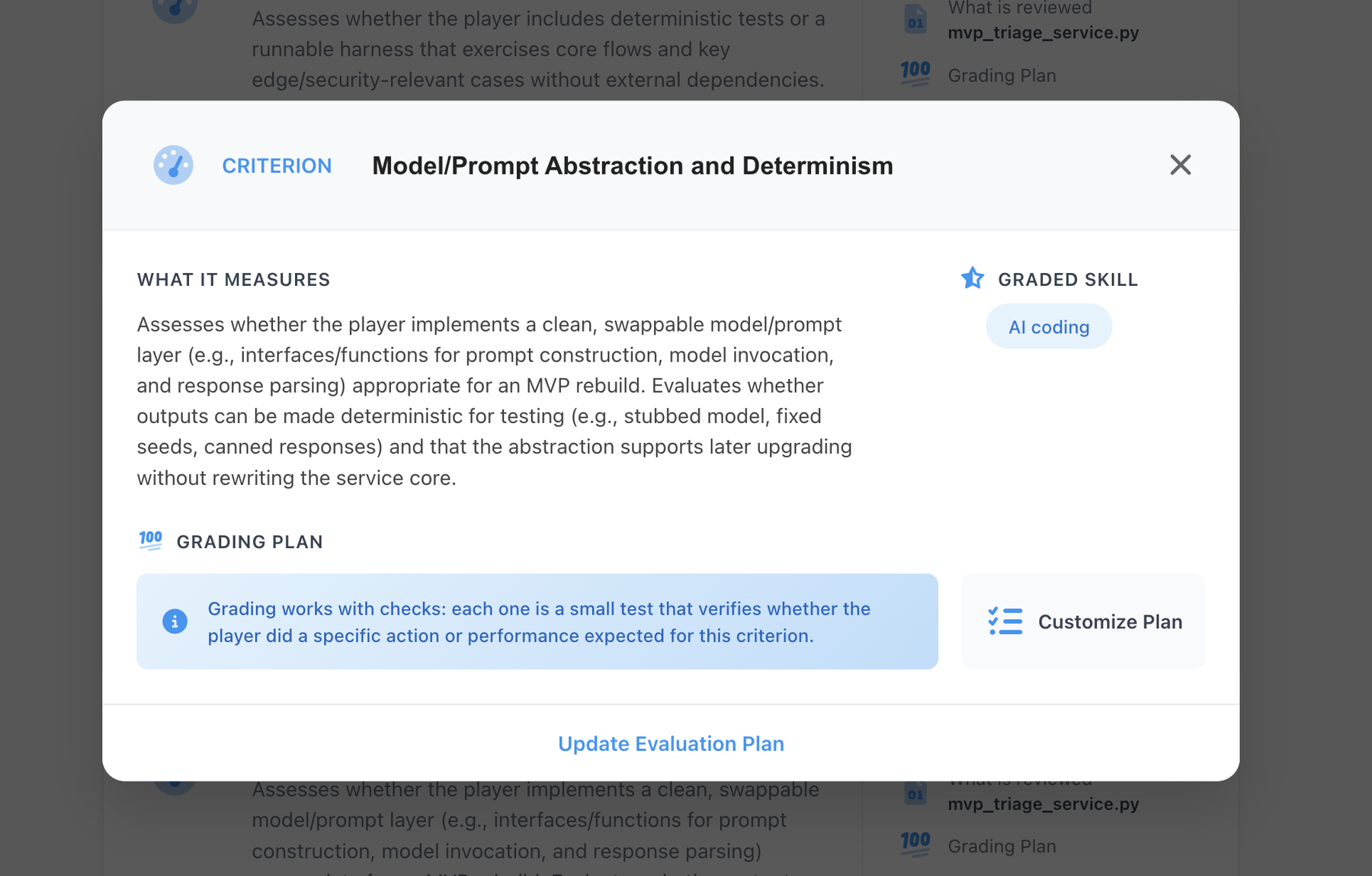
Every criterion spells out exactly what it measures and how it is graded, so a score is never a black box.
Not only assessments. Build and personalize full courses.
Course Builder writes complete courses from a short brief, then personalizes them to the exact team or person who will take them. The same describe-and-generate flow as Studio, so assessment and training are authored in one place.
From a brief to a full course
Describe the topic, attach any documents, and choose the depth and length. Course Builder drafts the chapters, lessons, exercises, and quizzes for you.
Personalized to the people taking it
Point it at a team or a person and it calibrates the examples, tone, and depth to their role, skills, and the simulations they have already passed. Role and skills only, never personal data.
Written in every language they speak
A multi-language first draft, written natively for each audience, not a translation bolted on after the fact.
Quality-gated and linked to skills
Every course is scored against a quality bar and mapped to the taxonomy, so a completion updates the skill profile you measured.
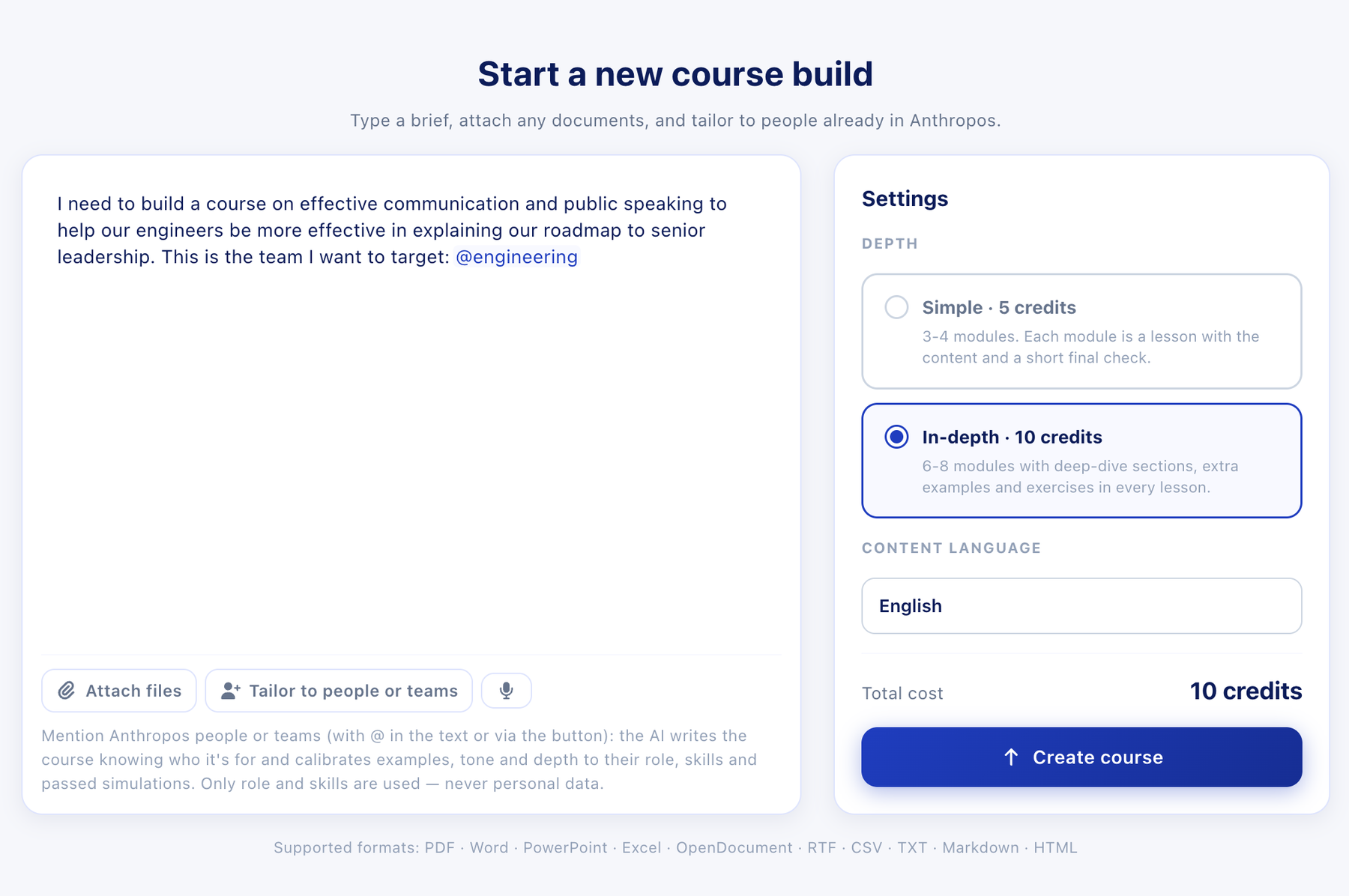
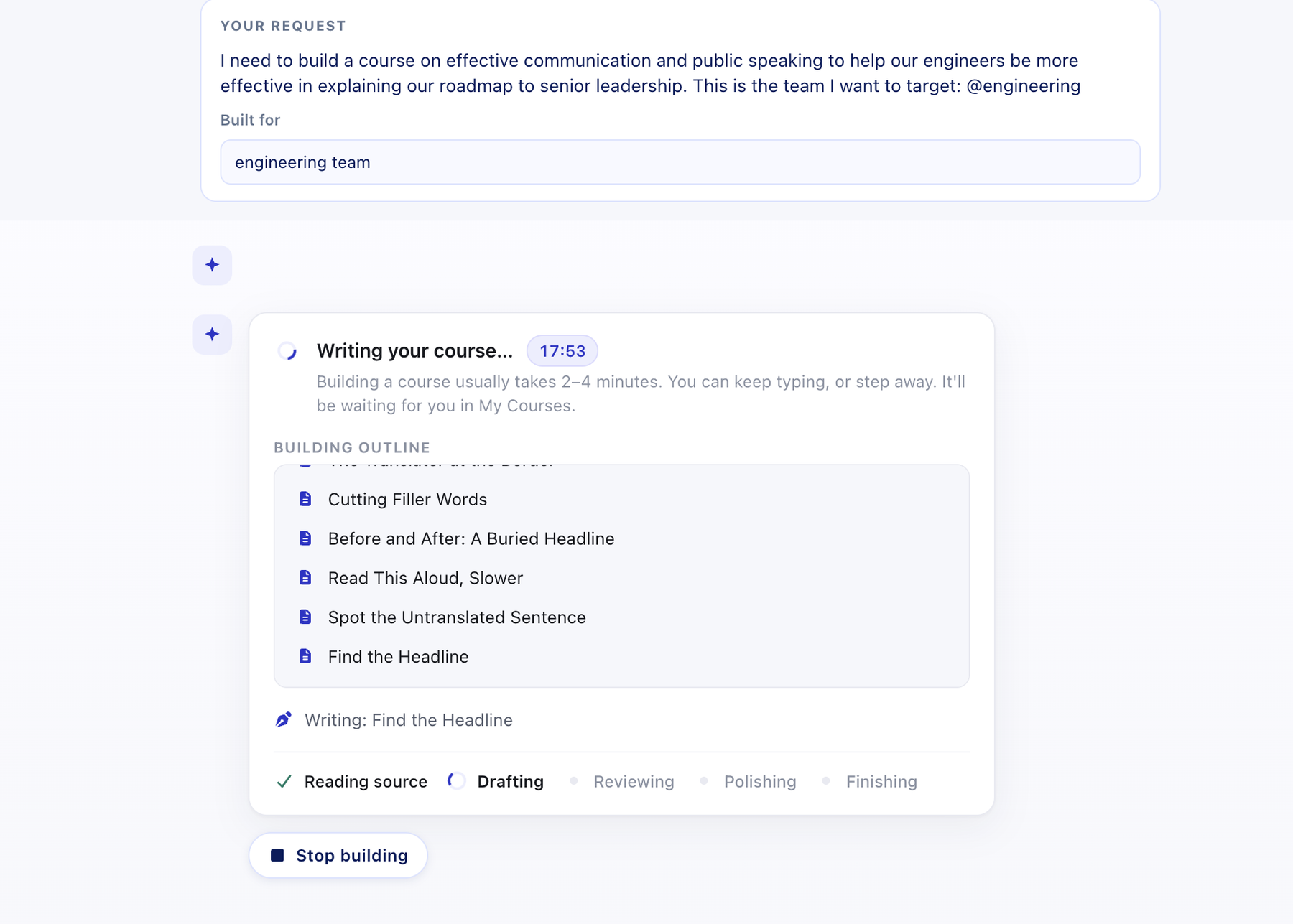
Describe it, and Course Builder writes the whole thing, chapters, lessons, exercises, and quizzes, usually in minutes, not weeks.
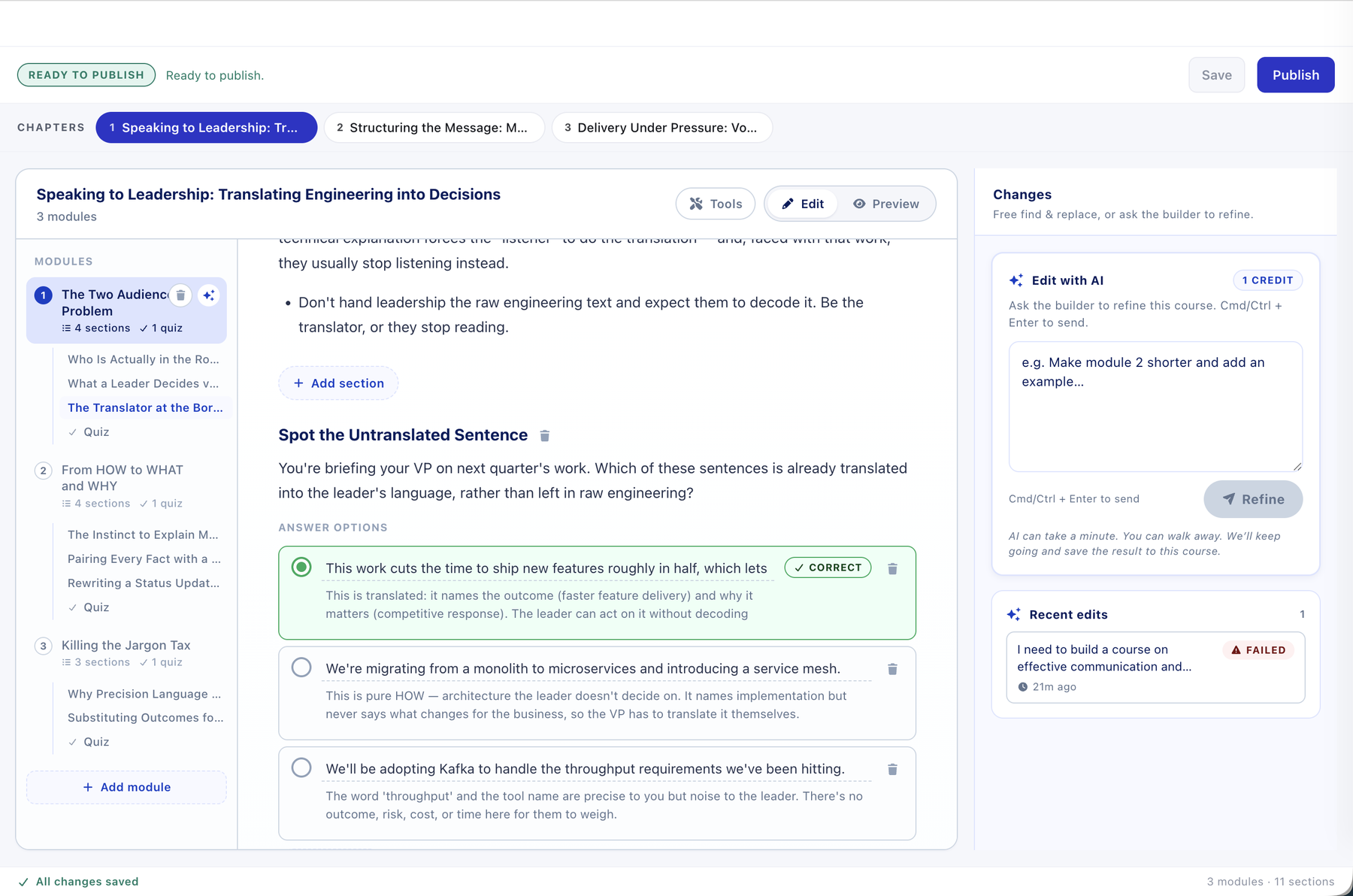
You get a complete, editable course. Change any lesson yourself, or ask the builder to refine it, then publish.
Built to be used by anyone, not just L&D.
No engineering resource, no vendor dependency, no special training. If you know the work, you can build for your team, from first draft to live.
Business and team managers
Build an assessment or a quick course for your own team the week you need it. No ticket, no agency, no waiting on anyone.
L&D and enablement
Turn your real processes and culture into immersive assessments and courses, at scale across the organisation.
Knowledge Owners
Subject matter experts codify their expertise into reusable assessments and courses the whole company can run.
HR and People ops
Manage the full library of custom and ready-made content, assign to roles, and track versions without IT.






What teams ask before they build.
Do we need technical skills to build with Studio?
How long does it take to build a simulation or a course?
Can we customise from the library instead of building from scratch?
How does Course Builder relate to Studio?
How do the skills in a custom simulation connect to the rest of the platform?
Can we use our own company documents inside a simulation?
Build your first assessment or course this week.
Book a demo and we’ll walk you through Studio and Course Builder live, or start from one of 300+ ready-made simulations and make it yours.