
Real workplace scenarios that verify and develop skills.
5 to 30 minute immersive simulations. Voice calls, chat, code, and document work with AI actors who behave like real colleagues, clients, and stakeholders. Behavioral evidence, not subjective ratings.
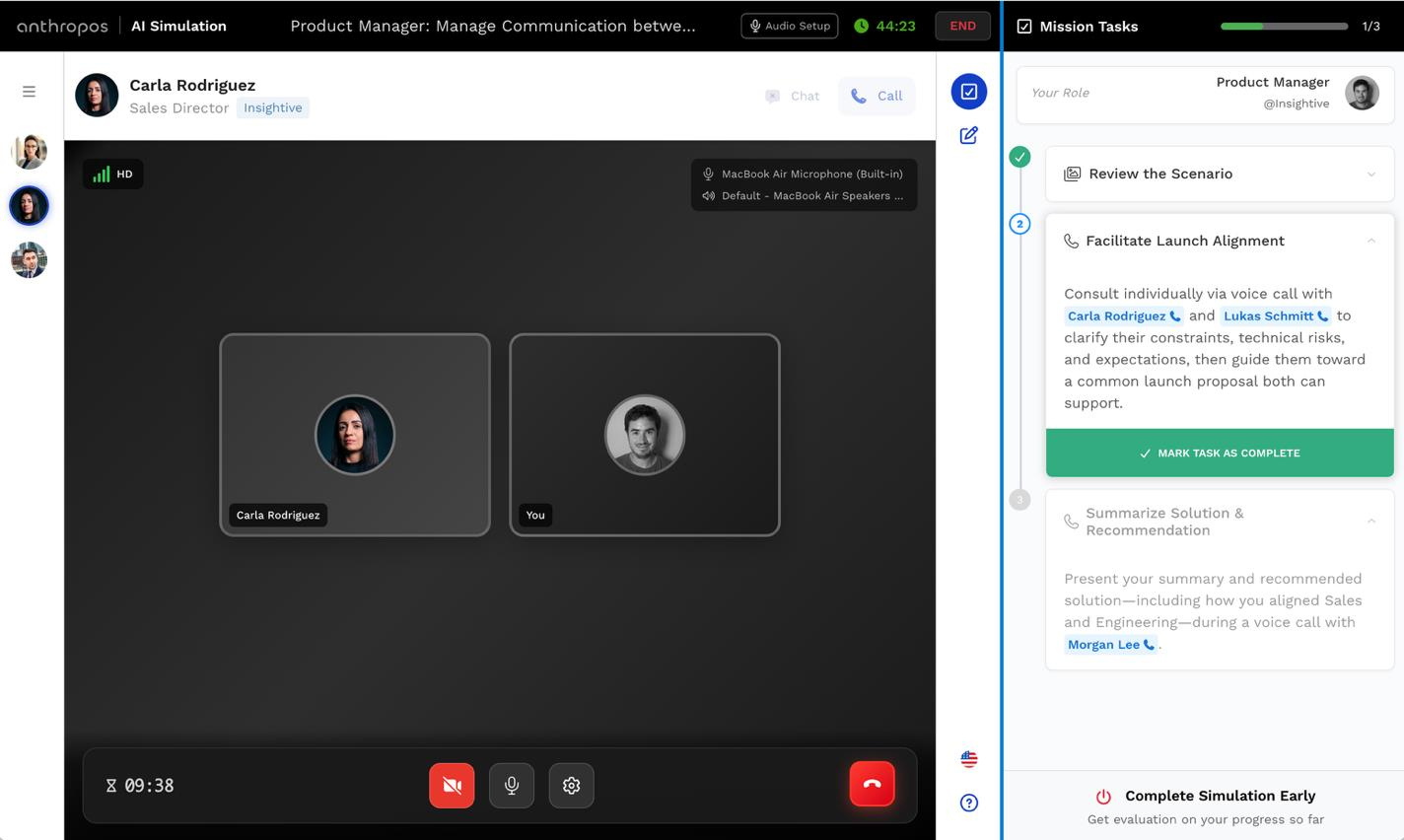
A real work scenario, not a quiz.
A candidate or employee takes on a specific role inside a realistic company context. They work through real tasks, make decisions, and interact with AI characters. Performance is evaluated against defined skills, not against the effort of a human reviewer.
Real role, real stakes
Players take on a specific job role and receive a briefing. The scenario is built around real workplace situations, not abstract puzzles.
AI actors, not scripts
Up to 4 AI characters per simulation: colleagues, clients, managers. Each has a personality, a backstory, and a defined difficulty level.
Mixed modalities
One simulation can include voice calls, chat, code challenges, document analysis, and collaborative editing, mirroring how real work happens.
Objective evaluation
Every simulation is scored against defined skills and criteria. Pass and fail checks, competency levels 0 to 5. No subjective ratings, no interviewer bias.
Five ways people demonstrate skill.
A single simulation can mix task types, reflecting how skills are actually used at work. Not one format for everything.
Real-time voice
Live voice with an AI actor: discovery calls, coaching, negotiations, incident escalations. Measures communication and judgment under pressure.
Async written
Text conversation with an AI actor playing a colleague, client, or stakeholder. Tests written communication, clarity, and professional judgment.
Live coding
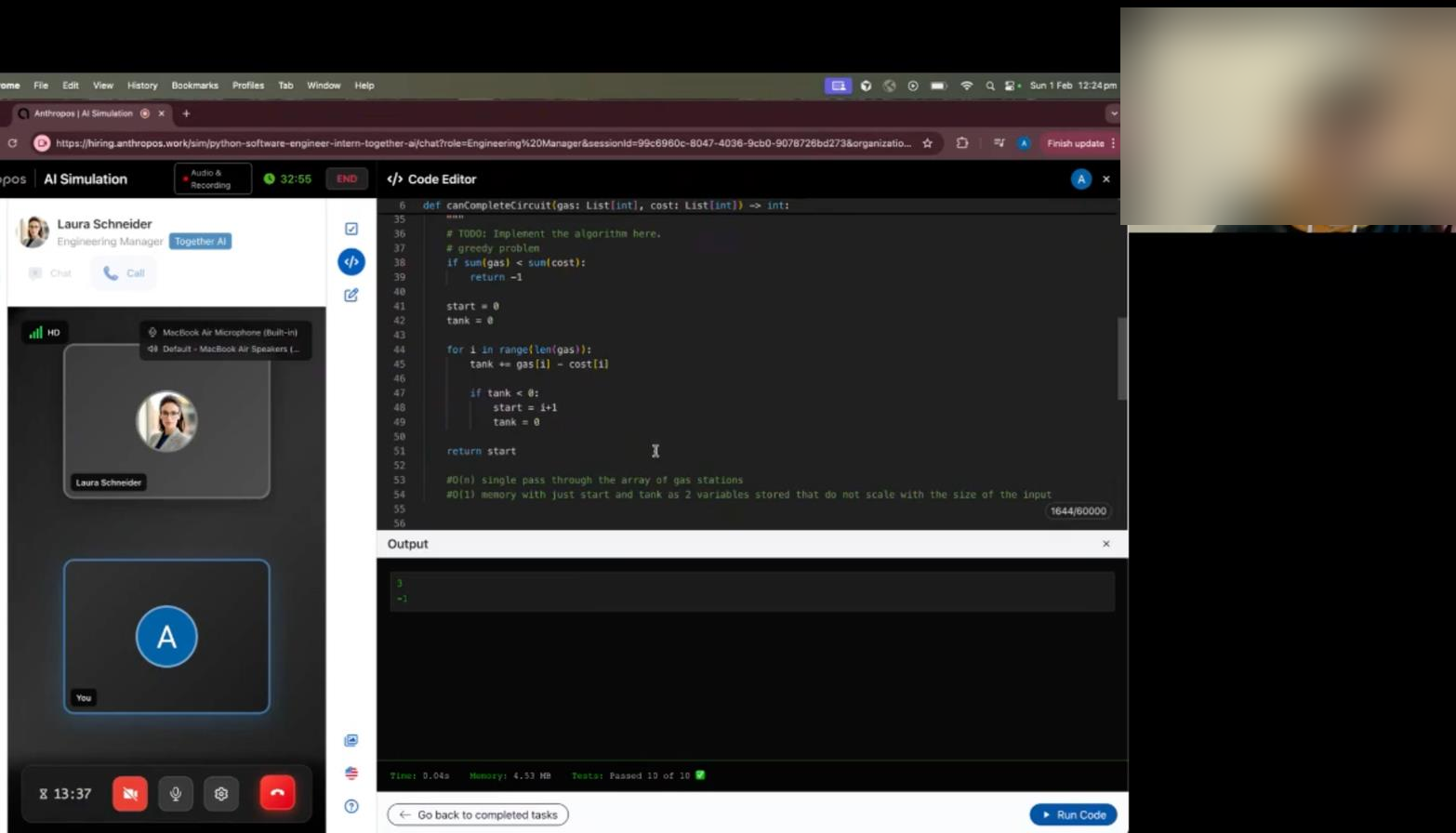
Full code editor with syntax highlighting and test execution. Debugging, architecture review, and code quality, with AI tooling active.
Review and analyse
Players work with real-format files: PDF, DOCX, PPTX, XLSX. Analysis, drafting, and review tasks, scored against defined criteria.
Shared document
A live workspace the player and AI actors edit together. Built for co-authoring; the final document is evaluated like a code submission.
Test whether people can really build with AI.
Coding and GenAI templates run a live editor with test execution and real AI tools active. See how engineers actually work with Claude Code and Codex, not whether they can recite an answer.
A full coding environment
Syntax highlighting, test execution, and real repositories. Debugging, architecture review, and pull-request analysis in a realistic setup.
Real AI tools, live
Claude Code and Codex run inside the task. The simulation measures how well someone directs AI to a correct, production-ready result.
Scored on the work
Every result maps to the same 0 to 5 competency scale and the 4,000+ skill taxonomy. Objective, traceable, and comparable across people.
The one skill every team is hiring and reskilling for right now, measured on real work instead of a whiteboard.
Hire, assess, or train, on the same simulation engine.
The same AI Simulation infrastructure powers all three. What changes is the tone, the difficulty calibration, and the purpose of the feedback.
Assess external candidates
Verify your internal workforce
Develop skills through practice
Characters designed to challenge, never to block.
Each simulation has up to 4 AI actors. They push players to demonstrate real skills, but always leave a path to success.
Supportive and collaborative
Professional and realistic
Challenging but fair
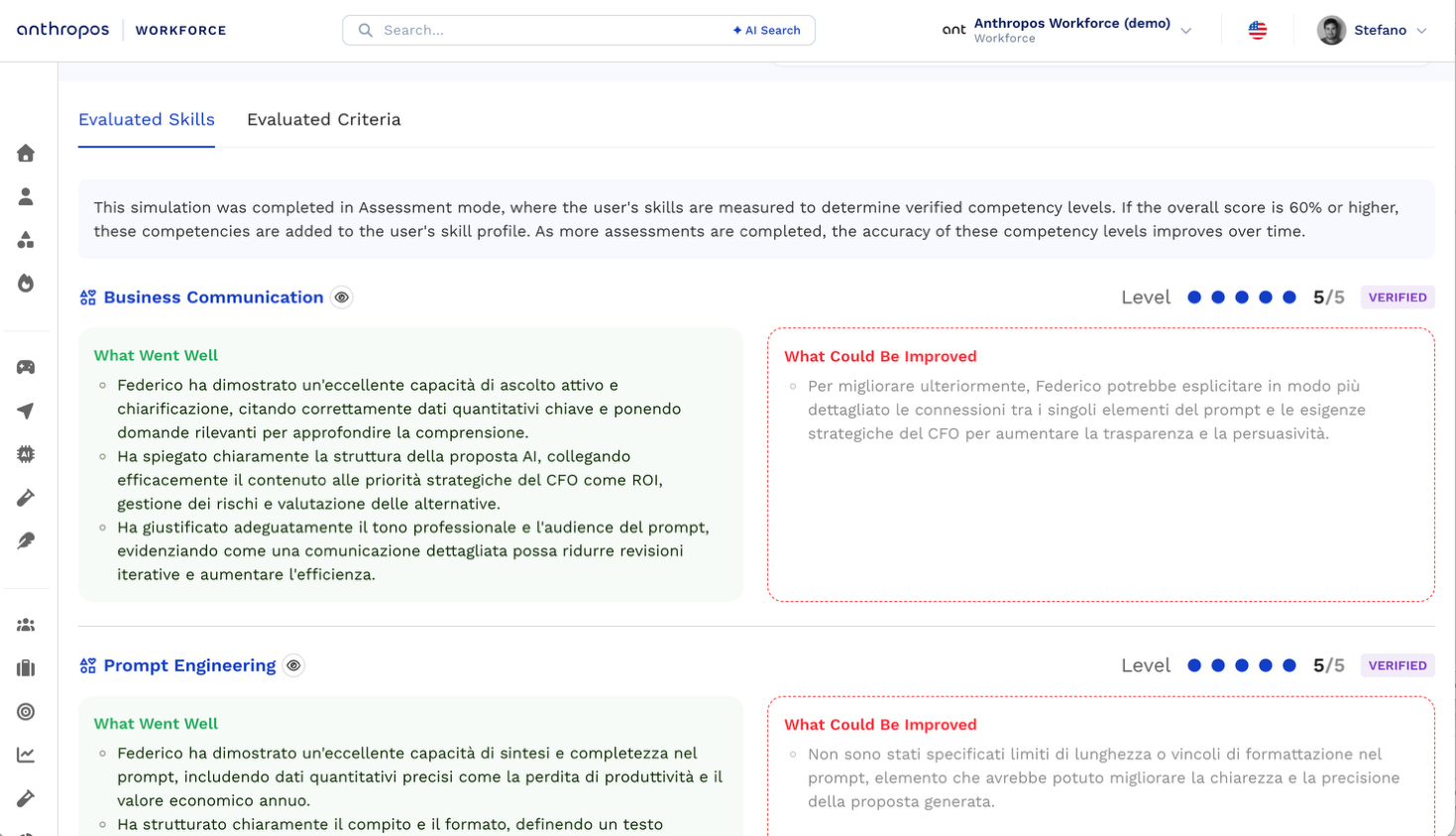
Scores built from evidence, not impressions.
Every data point traces to a specific behavior observed during the simulation. No gut feel, no interviewer variance.
Skills selected, 3 to 4 per simulation
Each simulation targets a focused set of skills, enough for a meaningful profile without diluting the assessment.
Evaluation criteria per skill
Each skill has multiple criteria defining the specific behaviors that demonstrate competency in this scenario and context.
Score checks, pass or fail
Essential checks that must pass, plus non-essential checks that contribute to the overall score. Binary, traceable, auditable.
Competency level, 0 to 5
Raw scores map to a 0 to 5 competency level. Every result ties to the 4,000+ skill taxonomy and feeds the Workforce Intelligence layer.
Phase 3 of the 5-Phase Workforce Methodology.
AI Simulations are the verification layer, where claimed skills become demonstrated skills. Mapping and self-evaluation come first; the integrated report comes after.
Auto-map skills
CV, HRIS, and LinkedIn parsed into one unified profile.
Guided self-evaluation
Each person validates and rates their skills.
AI Simulation assessment
Skills verified objectively in realistic work scenarios.
AI Interview
Qualitative signal on aspiration, context, and perceived friction.
Analysis and reporting
One integrated view for the person and the organisation.





What HR and engineering teams ask.
How long does a typical AI Simulation take?
Do players need any special setup or software?
How many simulations are available out of the box?
Can we test AI tooling proficiency, like Copilot or Claude Code?
How does scoring connect to the rest of the platform?
Ready to see an AI Simulation in action?
Book a 30-minute demo and run through a simulation yourself. It is the best way to understand what candidates and employees actually experience.